Table of Contents
Introduction
Let’s talk about something that can completely transform your computer experience: storage. Whether you’re gaming until 3 AM, editing videos for work, or just trying to make your old laptop stop feeling like it’s stuck in molasses, the type of storage drive you choose matters—a lot. We’re talking about the eternal battle between Solid State Drives (SSDs) and Hard Disk Drives (HDDs), and trust me, this decision will affect everything from how fast your programs launch to whether your files survive a coffee spill.
Here’s the thing: picking the right storage isn’t just about speed (though that’s definitely part of it). You’ve also got to think about how much stuff you need to store, how much you’re willing to spend, and whether you need something that can survive being tossed around in a backpack. SSDs and HDDs each have their own superpowers and weaknesses. An SSD-powered laptop will boot up faster than you can say “coffee break,” while HDDs give you massive storage space without breaking the bank. As tech keeps evolving, staying on top of these changes helps you make smart choices about your setup.
And here’s where it gets interesting—storage technology doesn’t exist in a vacuum. The rise of AI and smarter hardware is changing how we think about data storage, access, and security. Those technology and artificial intelligence trends aren’t just buzzwords; they’re actually reshaping how our devices handle information. Understanding these connections gives you a bigger picture view, so you’re not just picking a drive—you’re future-proofing your entire tech ecosystem.
But wait, there’s more to the performance puzzle. Storage is just one piece of the equation. Your computer’s RAM plays a huge role in how smooth everything feels when you’re juggling multiple tasks. If you really want to supercharge your system, upgrading computer RAM alongside a fast storage drive creates the kind of seamless experience that makes you wonder why you waited so long to upgrade. It’s like giving your computer both strong legs and good lungs—everything just works better.
What You’ll Learn in This Guide
We’re going to break down everything you need to know about SSDs and HDDs in plain English—no tech jargon overload, I promise. Here’s what we’ll dig into:
- Understanding HDDs: You will learn the components, functioning, and advantages of Hard Disk Drives, including their cost-effectiveness and storage capacities.
- Exploring SSDs: Discover how Solid State Drives work, their speed benefits, durability factors, and why they often command a premium price.
- Comparative Insights: We’ll examine key differences like performance, pricing, reliability, and the scenarios where each storage type excels.
- Choosing the Right Storage: Learn how to select the best option for your use case, whether for gaming, professional workloads, or everyday computing, along with tips on maintenance.
By the time we’re done, you’ll have a crystal-clear understanding of both technologies and feel confident about making the right choice for your needs. We’ll also touch on how pairing your storage upgrade with more RAM can create a powerhouse system that handles anything you throw at it.
Whether you’re breathing new life into an aging computer or spec’ing out a brand-new machine, this guide has the real-world insights you need. We’ll explore how modern storage affects not just speed, but also battery life, system stability, and your overall computing happiness. Plus, you’ll get practical tips that’ll keep your system running like a dream for years to come.
Ready to dive in? Let’s explore what makes HDDs and SSDs tick, compare their strengths and quirks, and figure out which one deserves a spot in your digital life.
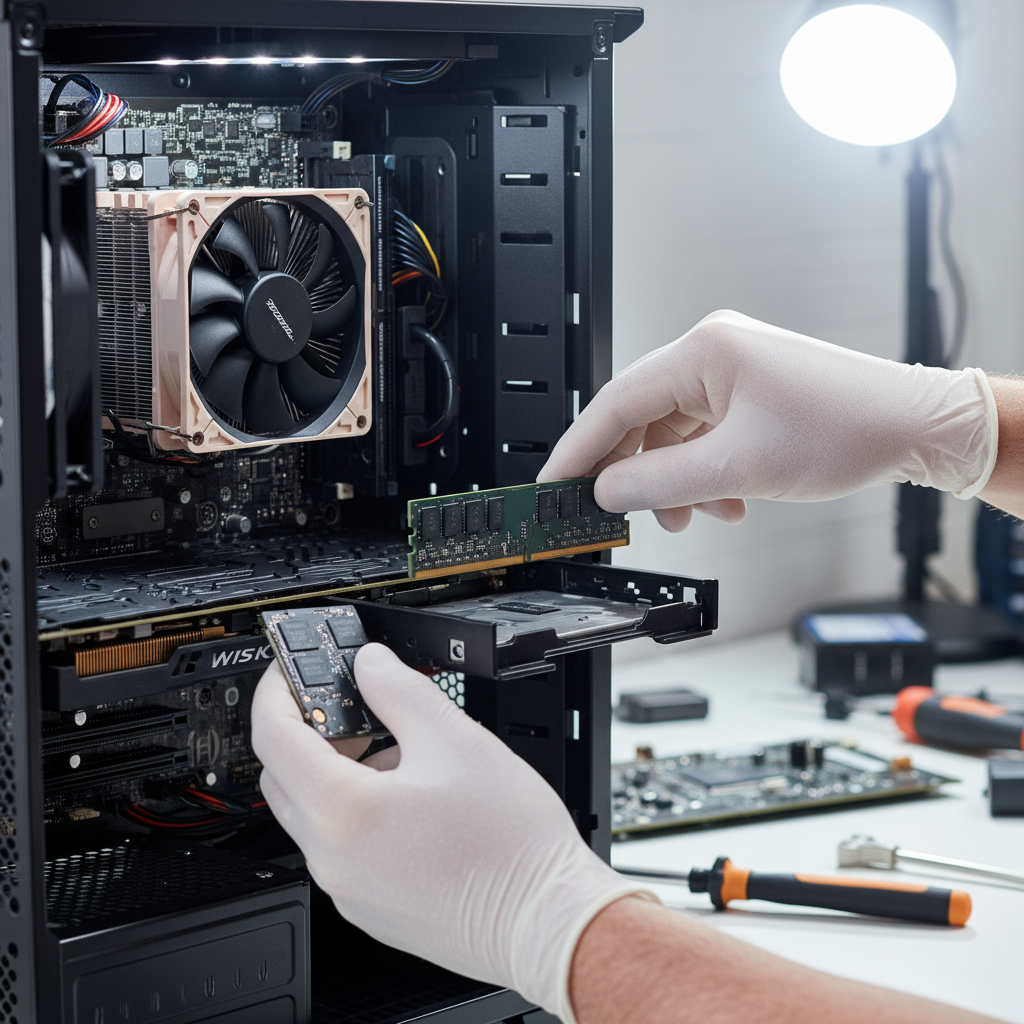
So you’re trying to figure out which storage drive to buy? Smart move. The choice between Solid State Drives (SSDs) and Hard Disk Drives (HDDs) can make or break your computing experience. Both store your digital stuff—photos, games, that novel you’re “definitely going to finish”—but they work in completely different ways. And those differences? They matter more than you might think. Whether you’re chasing lightning-fast boot times, need massive storage space, or just want the best bang for your buck, we’re going to break down everything you need to know. No tech jargon overload, promise.
Understanding the Core Differences Between SSDs and HDDs
Here’s the thing that changes everything: HDDs have moving parts, SSDs don’t. That’s it. That one difference ripples through everything else—speed, durability, price, you name it. Think of an HDD like a record player that never stops spinning. It’s got magnetic disks whirring around at thousands of RPM, with a tiny arm dancing back and forth to read your data. Pretty amazing engineering, honestly. But also pretty slow by today’s standards.
SSDs? Completely different game. Picture a super-fast USB drive with no moving pieces whatsoever. Your data gets stored electronically in flash memory chips, which means access is nearly instantaneous. No waiting for disks to spin up or read heads to find the right spot. Just pure, digital speed. If you’ve ever wondered why some laptops boot up in seconds while others take forever, this is usually why. Want to see this speed difference in action? Check out this guide on best laptops with SSD drives—the performance difference is honestly jaw-dropping.
Key Characteristics Defining SSDs and HDDs
Let’s get specific about what makes these drives tick. Because once you understand these differences, choosing becomes a whole lot easier.
- Speed and Performance: SSDs absolutely destroy HDDs in this category. We’re talking boot times that go from minutes to seconds, games that load before you can grab your coffee, and video editing that doesn’t make you want to throw your computer out the window. HDDs? They’re trying their best, but those spinning parts create a bottleneck that physics just won’t let them overcome.
- Durability and Reliability: Drop a laptop with an HDD? You might be shopping for data recovery services. Drop one with an SSD? It’ll probably just keep working. No moving parts means no mechanical failure points. HDDs have delicate read/write heads floating mere nanometers above spinning disks—impressive, but also terrifyingly fragile if you’re rough with your gear.
- Storage Capacity and Cost: This is where HDDs fight back. You can get multiple terabytes of storage for the price of a decent SSD with a fraction of the space. If you’re storing massive movie collections, raw photo libraries, or years of work files, HDDs still make financial sense. SSDs are getting cheaper, but they’re not there yet for bulk storage.
- Energy Efficiency and Noise: SSDs sip power like they’re on a diet, while HDDs gulp it down. Plus, SSDs are completely silent—no whirring, clicking, or mechanical noise whatsoever. If you’ve ever worked in a quiet room with an old laptop, you know how annoying drive noise can be. SSDs solve that problem completely.
Now, let’s talk about how this translates to real-world decisions and keeping your drive happy for years to come.
Choosing Between SSD and HDD: Use Cases and Maintenance
Here’s where rubber meets the road. Are you a gamer who can’t stand loading screens? SSD, no question. Content creator working with 4K video files? SSD will save your sanity. But maybe you’re just someone who needs to store family photos, documents, and the occasional movie? An HDD might be perfectly fine and save you serious cash.
The maintenance side is interesting too. SSDs seem bulletproof, but they have a hidden limitation—each memory cell can only be written to so many times. Modern SSDs handle this brilliantly with wear leveling, but it’s still something to keep in mind. HDDs need more babying—handle them gently, keep them cool, and maybe run a defragmentation now and then (though Windows does this automatically these days). Either way, backup your important stuff. Drives fail. It’s not if, it’s when.
Practical Considerations and Best Practices
Let’s get practical about making this choice work for your specific situation. Because the “best” drive is really just the one that fits your needs and budget.
- Use Case Evaluation: Be honest about what you actually do with your computer. Gaming and creative work benefit hugely from SSD speed. Storing family photos and streaming Netflix? Maybe not so much. If you’re curious about how storage affects broader technology applications, this piece on technology for smart cities shows how fast data access powers modern digital infrastructure—pretty fascinating stuff.
- Data Backup and Recovery: Seriously, back up your data. SSDs can fail suddenly without warning signs, while HDDs often give you clicking sounds or slow performance as a heads-up. Use cloud backup, external drives, or both. Your future self will thank you when disaster strikes.
- Cost-Benefit Analysis: Here’s a pro tip: you don’t have to choose just one. Many smart users go hybrid—a smaller SSD for their operating system and most-used programs, paired with a larger HDD for storage. Best of both worlds, and your wallet won’t hate you quite as much.
- Device Compatibility and Installation: Not all computers play nice with all drive types. Older systems might not support modern NVMe SSDs, while some ultrabooks can’t fit traditional HDDs. Check your specs first, and if you’re planning other upgrades, this computer RAM upgrade guide often goes hand-in-hand with storage improvements for maximum performance boost.

Here’s the thing about choosing between SSDs and HDDs—it’s one of those decisions that’ll completely change how you feel about using your computer. SSDs are incredibly fast because they don’t have any moving parts (just flash memory doing its thing), which means your computer boots up in seconds and files open instantly. They’re also tough as nails and completely silent. Perfect if you’re tired of waiting around or need something reliable.
Now, HDDs? They’re the budget-friendly workhorses. Sure, they’re slower and a bit more fragile since they have spinning parts inside, but they give you way more storage space for your money. Got tons of photos, videos, or files to store? HDDs won’t break the bank like SSDs might.
The key is figuring out what matters most to you. Are you a gamer who can’t stand loading screens? A creative professional working with massive files? Someone who just wants their laptop to feel snappy? Then an SSD is probably worth every penny. But if you need lots of storage and aren’t too bothered by a few extra seconds here and there, HDDs make perfect sense. And here’s a pro tip—many people go hybrid. SSD for your main stuff (operating system, favorite programs) and HDD for everything else. Best of both worlds.
Let’s talk maintenance for a second. SSDs are pretty low-maintenance, but they do have limits on how much you can write to them over time. Regular backups are smart, and don’t go crazy filling them to 100% capacity. HDDs need a gentler touch—handle them carefully, keep them cool, and run a defrag once in a while. Most importantly? Back up your data no matter what you choose. Storage drives fail when you least expect it, and losing your stuff is never fun.
Ready to dive deeper? If you’re leaning toward SSD performance, check out our guide on best laptops with SSD drives—we’ve done the research to help you find the perfect match. Want to supercharge your setup even more? Learning how to upgrade computer RAM pairs beautifully with fast storage for smooth multitasking. And if you’re curious about where all this tech is heading, our piece on technology for smart cities shows how advanced storage solutions are shaping the future of urban living.
The bottom line? There’s no universally “right” choice between SSDs and HDDs—it all comes down to what you value most. Speed and responsiveness? Go SSD. Maximum storage for minimum cost? HDD’s your friend. Want the best of both? Hybrid setup. Whatever you choose, pair it with enough RAM and stay curious about new tech developments. Your computer will thank you, and you’ll wonder why you waited so long to upgrade.
Frequently Asked Questions
-
Is an SSD faster than an HDD?
- Yes, SSDs provide much faster data access and boot times compared to HDDs, thanks to their solid-state flash memory and lack of moving parts.
-
Which storage is more durable?
- SSDs are generally more durable because they have no mechanical parts, making them more resistant to shocks and drops compared to the moving parts in HDDs.
-
Are SSDs more expensive than HDDs?
- Typically, SSDs cost more per gigabyte than HDDs but offer better performance, speed, and durability to justify the investment.
-
Can I use both SSD and HDD in one system?
- Yes, many systems support using both. This hybrid approach combines the speed of SSDs with the large storage capacity of HDDs for an optimized setup.
-
How do I maintain my SSD or HDD?
- Regular backups and careful handling are essential for both. SSDs benefit from managing write cycles, while HDDs should be kept cool and defragmented periodically.