
Asheville Campus Tech: Must-Have Gadgets for AB Tech Students in 2025
Attending Asheville-Buncombe Technical Community College means navigating a modern educational environment where technology plays a central role in academic success. Whether you’re enrolled in engineering, healthcare, business, or creative programs at AB Tech Asheville campus, having the right gadgets can significantly enhance your learning experience, productivity, and campus life. This comprehensive review explores the essential tech equipment that students need to thrive in today’s collaborative classroom environments.
The Asheville campus tech ecosystem has evolved dramatically over recent years, with faculty integrating cutting-edge tools into curricula and collaborative learning spaces requiring reliable devices. From lecture halls equipped with interactive displays to maker spaces with 3D printers and electronics labs, AB Tech Asheville campus demands that students come prepared with appropriate technology. We’ve tested and evaluated the most practical gadgets that balance functionality, durability, and affordability for the typical community college student.
Essential Laptops for AB Tech Students
The foundation of any student’s tech arsenal is a reliable laptop. For Asheville campus students, selecting the right computer depends on your program of study. Our best laptops for students 2025 guide provides comprehensive comparisons, but AB Tech students have specific needs worth addressing.
Engineering and CAD students require machines capable of handling demanding software like AutoCAD, SolidWorks, or Fusion 360. We recommend laptops with at least an Intel i7 or AMD Ryzen 7 processor, 16GB RAM minimum, and dedicated NVIDIA graphics cards. The Dell Precision 3570 offers excellent value for technical students, featuring workstation-grade performance in a portable form factor. Business and general education students can opt for more affordable options like the Lenovo ThinkPad E-series, which provides solid performance for productivity applications without premium pricing.
Battery life is crucial for students moving between classes across the Asheville campus. We prioritize laptops offering 8+ hours of real-world usage. The MacBook Air M3 delivers exceptional battery performance and runs professional-grade software, making it ideal for creative program students in graphic design, video production, or digital media. However, the higher initial cost may challenge budget-conscious students—consider upgrading laptop memory on a mid-range device instead of purchasing premium models.
Weight and portability matter significantly when carrying equipment between multiple classroom buildings. We recommend staying under 4.5 pounds for daily campus commuting. The ASUS VivoBook 15 and HP Pavilion 15 both weigh under 4 pounds while maintaining solid performance for most coursework. Storage capacity should reach at least 512GB SSD to accommodate software installations, project files, and multimedia content typical in AB Tech programs.
Portable Charging Solutions
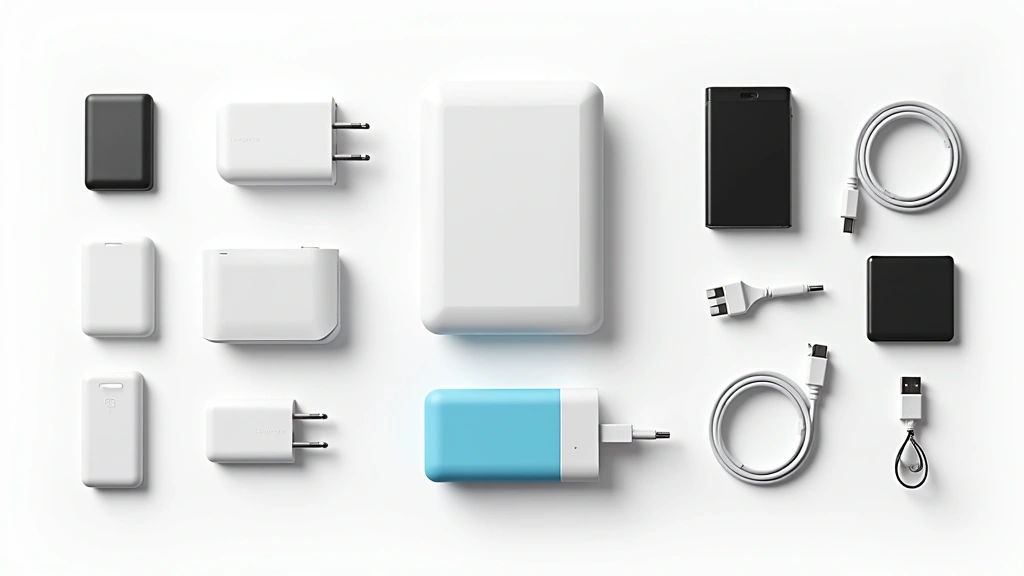
Campus life at Asheville-Buncombe Technical Community College often means long days away from electrical outlets. Portable power banks have become essential equipment for maintaining device connectivity throughout demanding schedules. We tested numerous options to identify the best campus-ready charging solutions.
For smartphone charging, 20,000mAh capacity power banks offer the optimal balance between size, weight, and charging cycles. The Anker PowerCore 20100 provides two full charges for most smartphones and features multiple USB ports for simultaneous charging. At under 8 ounces, it fits easily in backpacks without adding significant weight. Students with multiple devices benefit from power banks supporting USB-C Power Delivery, enabling laptop charging capabilities. The Anker PowerCore 26800 PD supports charging 15-inch laptops while maintaining smartphone compatibility—crucial for AB Tech students with diverse device ecosystems.
Solar-powered charging options appeal to students spending time outdoors on the Asheville campus grounds. While solar chargers won’t provide primary power in cloudy conditions, pairing them with traditional power banks creates redundancy. We found solar charging useful as emergency backup rather than primary solution, particularly during extended outdoor study sessions or field work for environmental science programs.
Wall chargers with multiple high-wattage USB-C ports minimize cable clutter in dorm rooms. GaN (gallium nitride) technology chargers like the Anker 747 deliver fast charging for laptops, tablets, and phones through single devices. For AB Tech students managing multiple electronic devices, consolidating to fewer chargers reduces weight and complexity.
” alt=”Tech gadgets and portable chargers arranged on desk”/>
Audio Equipment for Online Learning
Quality audio equipment has become indispensable for AB Tech Asheville campus students, particularly those taking hybrid or online courses. Poor audio quality undermines learning effectiveness and impacts performance in collaborative group projects conducted virtually.
Wireless earbuds with active noise cancellation excel for campus library study sessions and online classes. The Sony WF-C700N and Jabra Elite 8 Active both offer solid noise cancellation, comfortable fit for extended wear, and reliable Bluetooth connectivity. For students recording lectures or creating audio content in media programs, microphone quality becomes paramount. We recommend the Audio-Technica AT2020 USB condenser microphone for desktop recording—it delivers professional-grade audio capture at reasonable cost.
Headphone stands and cable organizers prevent damage to expensive audio equipment. The simple practice of proper storage extends device lifespan significantly. USB-C audio adapters prove essential for newer laptops lacking 3.5mm jacks, ensuring compatibility with various audio peripherals across campus tech environments.
Portable Bluetooth speakers benefit students creating study groups in campus lounges or presenting projects. The JBL Flip 6 provides loud, clear audio in compact form, withstanding the rigors of daily campus life. Waterproof ratings protect against accidental spills in busy student spaces.
Tablets and Note-Taking Devices
Tablets complement laptop functionality for AB Tech students, particularly those in visual learning environments. iPad Pro models with Apple Pencil support enable digital note-taking that surpasses traditional paper-based approaches for many learners. The pressure sensitivity and latency improvements in recent iPad generations create writing experiences nearly indistinguishable from pen and paper.
For note-taking, iPad Air offers excellent value compared to Pro models, delivering 90% of functionality at significantly lower cost. The iPad Air with M1 chip handles multitasking smoothly while maintaining all-day battery life. Android alternatives like the Samsung Galaxy Tab S9 FE provide more affordable options for budget-conscious students, though app ecosystem differences may affect software availability for specific AB Tech programs.
Digital note-taking applications like OneNote, Notability, and GoodNotes transform tablets into powerful study tools. The ability to search handwritten notes, integrate typed text with sketches, and organize materials by class creates efficiency gains throughout semesters. Students in engineering programs particularly benefit from tablets for sketching design concepts, annotating technical drawings, and reviewing corrected assignments with instructor feedback.
Screen protectors and cases are non-negotiable investments for campus devices. Gorilla Glass Victus provides standard protection, but additional protective cases prevent damage from the inevitable drops and impacts of student life. We recommend cases with keyboard functionality for students planning extensive typing on tablets.
Networking and Connectivity Gear
The Asheville campus tech infrastructure includes robust WiFi coverage, but dead zones persist in older buildings and outdoor spaces. USB WiFi adapters and external antennas can improve connectivity in problematic areas. For students in programs requiring reliable internet for remote lab access or cloud-based applications, understanding cloud computing benefits and ensuring stable connections becomes critical.
Ethernet adapters prove invaluable for situations requiring wired connections. USB-C to Ethernet adapters enable direct network connections in labs or classrooms where WiFi proves unreliable. This particularly benefits students running bandwidth-intensive applications or conducting online exams requiring stable, monitored connections.
Mobile hotspot devices provide internet backup when campus WiFi fails. Modern smartphones support hotspot functionality, but dedicated mobile hotspot devices like the Netgear Nighthawk M6 offer extended battery life and more efficient data usage. AB Tech students working on projects in off-campus locations benefit from reliable internet access.
VPN applications secure network connections when using public WiFi. ExpressVPN and NordVPN both provide reliable encryption for protecting academic data and personal information when connecting through campus networks. Many AB Tech programs handling sensitive information require VPN usage for compliance purposes.
Backup Storage and Security
Data loss represents a critical risk for students managing course projects, research materials, and assignments. Redundant backup systems protect against catastrophic data loss. We recommend the 3-2-1 backup strategy: three copies of important data, on two different media types, with one copy stored offsite.
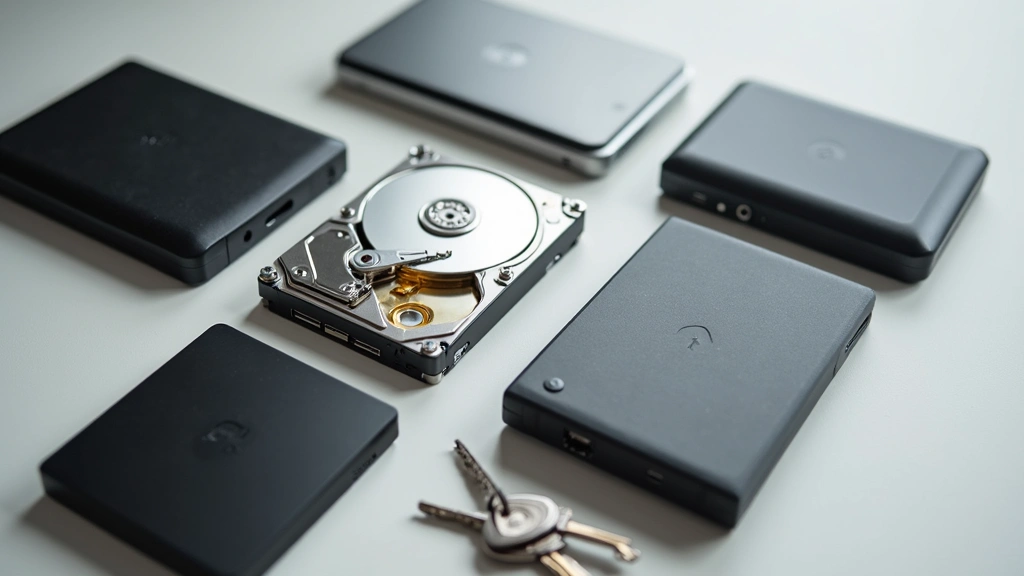
External hard drives provide affordable bulk storage. The Seagate Backup Plus and WD My Passport both offer 1-5TB capacity with USB-C connectivity for faster transfers. Students working with video content in media programs require high-speed external SSDs like the Samsung T7 Shield, which handles large file transfers efficiently while withstanding physical impacts.
Cloud storage services complement physical backups. OneDrive integration with Windows systems provides seamless file synchronization, while Google Drive offers collaboration features for group projects. Understanding how technology transforms learning environments includes recognizing cloud storage’s role in modern academic workflows.
Security keys like YubiKeys protect against account compromise. Students accessing sensitive lab systems or managing important academic records benefit from hardware-based authentication. The Yubico Security Key provides affordable two-factor authentication protection.
” alt=”External hard drives and backup storage devices displayed together”/>
Campus-Specific Tech Recommendations
The Asheville-Buncombe Technical Community College environment includes specialized facilities requiring particular equipment. Students in health sciences programs benefit from medical simulation software compatibility—ensuring laptops meet system requirements for clinical training applications. Engineering students need CAD-capable machines, which we’ve addressed in laptop recommendations.
The maker spaces and electronics labs at AB Tech Asheville campus attract students interested in hands-on projects. Multimeters, soldering stations, and component kits supplement computer-based work. While not strictly “gadgets” for personal use, students serious about electronics should invest in quality multimeters for hobby projects and supplementary learning.
Photography students benefit from external monitors improving color accuracy for image editing. The ASUS PA247CV provides affordable IPS panel technology with factory calibration suitable for photography workflow. USB-C docking stations consolidate charging and peripheral connections, reducing desk clutter in dorm rooms or home study spaces.
3D printing technology integration in AB Tech programs means students should understand file preparation and slicing software. While campus provides printer access, understanding latest technology trends and reviews helps students stay current with rapid manufacturing technology evolution.
Webcams have become essential equipment for students attending hybrid classes or participating in virtual group meetings. Built-in laptop cameras often provide inadequate quality for professional presentations. The Logitech C920 Pro delivers 1080p video with excellent autofocus, ideal for AB Tech students presenting projects or participating in distance learning components.
For students managing demanding coursework, productivity gadgets like the best productivity gadgets reviewed by The Verge can optimize workflow efficiency. Time management tools, focus timers, and organizational systems maximize limited study hours.
FAQ
What laptop specifications do AB Tech engineering students need?
Engineering students require minimum Intel i7/Ryzen 7 processors, 16GB RAM, dedicated graphics cards, and 512GB SSD storage to handle CAD software like AutoCAD and SolidWorks effectively. Machines from Dell Precision, Lenovo ThinkPad P-series, or similar workstation lines provide appropriate performance.
Can I use a tablet instead of a laptop for AB Tech coursework?
Tablets work well for note-taking and reading course materials but cannot replace laptops for programs requiring specialized software. However, iPads complement laptop usage effectively for students in less technical programs. Check specific program requirements before relying solely on tablet devices.
How much should I budget for campus tech equipment?
A functional setup costs $800-1200: laptop ($600-900), power bank ($30-50), external storage ($60-100), audio equipment ($50-150), and accessories ($60-100). Students can reduce costs by purchasing refurbished devices or utilizing campus-provided equipment during initial semesters.
Does AB Tech Asheville campus provide tech support for student devices?
Yes, the IT help desk supports student technology issues. However, personal device support varies by issue type. Contact the helpdesk for specific support availability and bring devices to the tech support center for hardware issues.
What cybersecurity practices should AB Tech students follow?
Enable two-factor authentication on academic accounts, use strong unique passwords managed by password managers, keep software updated, avoid public WiFi for sensitive work, and use VPN when necessary. AB Tech IT services provide additional security guidance for students handling sensitive data.
Are gaming laptops suitable for AB Tech coursework?
Gaming laptops offer powerful hardware beneficial for CAD and media work but prioritize performance over battery life. For general students, traditional ultrabooks provide better balance. Gaming laptops work well for technical programs but may prove overkill for business or general education coursework.


