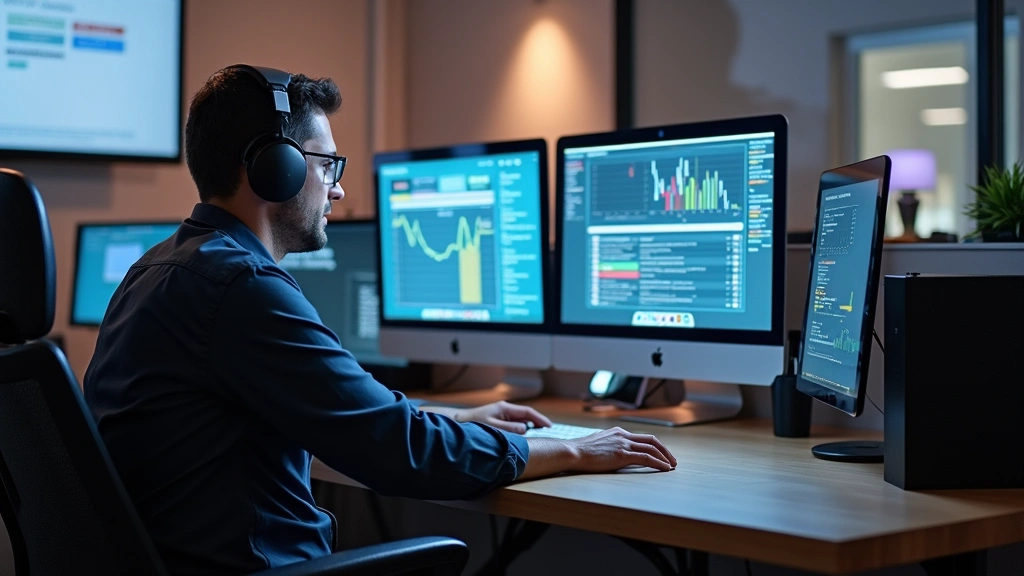
Working in Apple tech support is far more than answering phone calls about forgotten passwords. It’s a dynamic, fast-paced career that combines technical expertise, customer service finesse, and genuine problem-solving passion. Apple Support Specialists handle everything from troubleshooting hardware failures to guiding users through iOS updates, often becoming the voice of reassurance for millions of customers worldwide. This role sits at the intersection of technology and human connection, requiring both deep product knowledge and exceptional interpersonal skills.
Whether you’re considering joining Apple’s support team or simply curious about what happens behind the scenes when you call AppleCare, understanding a typical day reveals why this career path attracts thousands of tech enthusiasts annually. Apple Support Specialists aren’t just reading from scripts—they’re empowered to think creatively, access advanced diagnostic tools, and deliver solutions that often exceed customer expectations. The job demands continuous learning, as Apple releases new products and updates regularly, making it ideal for those passionate about staying at the forefront of technology.

Morning Briefing and System Login
An Apple tech support specialist’s day typically begins 15 minutes before their scheduled shift. During this time, they review overnight updates, check for system-wide issues affecting multiple devices, and familiarize themselves with any new product releases or known bugs. The morning briefing might highlight critical issues like a recent iOS update causing specific problems or widespread network connectivity challenges affecting Apple Watch synchronization.
Upon logging into Apple’s proprietary support systems, specialists gain access to comprehensive customer histories, previous case notes, and device specifications. This centralized database allows them to provide personalized service from the moment a customer connects. The systems are designed for efficiency, with templates for common issues but flexibility for complex scenarios. Understanding how to navigate these tools efficiently is crucial—specialists who master the interface can resolve issues faster while maintaining quality support.
Many support centers conduct brief team huddles where supervisors communicate daily priorities, highlight difficult cases that might come up, and celebrate team achievements from the previous day. This collaborative environment fosters knowledge-sharing and prepares specialists for challenging interactions ahead.

First Customer Interactions
As the queue opens, incoming calls and chat requests flood in. A typical Apple tech support specialist might handle 6-8 calls during an 8-hour shift, with average handle times ranging from 15-30 minutes depending on issue complexity. The first call often sets the tone for the day—it might be a straightforward question about device settings or features, or it could launch into a complex troubleshooting session.
Specialists begin by authenticating the customer, verifying their AppleCare coverage, and gathering information about the issue. This initial conversation is critical—it establishes rapport and helps determine whether the problem is software-related, hardware-based, or user-related. Many customers are frustrated after attempting their own fixes, so specialists employ active listening and empathetic communication to de-escalate tension and build trust.
The diagnostic process begins with basic troubleshooting: checking iOS or macOS versions, verifying internet connectivity, and reviewing recent changes to the device. For iPhone or iPad issues, specialists might request specific error messages or ask the customer to perform basic resets. For Mac issues, they might investigate crash logs or performance metrics. This methodical approach, though it may seem repetitive to specialists handling hundreds of similar cases, is essential because each device situation is unique.
Technical Troubleshooting Deep Dives
When initial troubleshooting doesn’t resolve the issue, specialists escalate to advanced diagnostics. Apple provides access to specialized tools that can remotely assess device health, run hardware tests, and identify failing components. For example, when a customer reports their MacBook battery drains rapidly, the specialist can access battery condition reports and review power consumption metrics to determine if hardware replacement is necessary.
For software issues, specialists navigate through system logs, check for conflicting applications, and verify that device systems are properly configured. They might guide customers through safe mode, recovery mode, or DFU mode—technical processes that require patience and clear communication. A specialist might spend 45 minutes walking someone through a complete device restore, ensuring they understand each step and why it’s necessary.
Hardware diagnostics represent another critical skill set. When a customer reports a non-functioning speaker, microphone, or camera, specialists use Apple’s hardware diagnostic tools to confirm whether the component has genuinely failed or if software can resolve the issue. These diagnostics are often more reliable than customer descriptions, preventing unnecessary warranty replacements while ensuring legitimate hardware issues are properly documented.
Tools and Resources Available
Apple tech support specialists have access to an impressive arsenal of diagnostic and informational tools. The primary platform integrates customer service management, device diagnostic capabilities, and comprehensive knowledge bases. Specialists can view real-time device status, run remote diagnostics, and check warranty coverage instantly.
The knowledge base is continuously updated with troubleshooting procedures, known issues, and workarounds. When iOS 18 launches with a specific bug affecting certain iPhone models, the knowledge base is updated immediately, allowing every specialist to provide consistent information. This centralized resource prevents misinformation and ensures customers receive accurate guidance regardless of which specialist they reach.
Specialists also access technical documentation directly from Apple’s engineering teams. This isn’t the same material available to the public—it includes detailed hardware schematics, internal test procedures, and information about unreleased features. This privileged access enables specialists to provide informed recommendations beyond what public documentation offers.
Additionally, specialists can initiate mail-in repairs, process warranty replacements, and coordinate with Apple’s repair facilities. They can prioritize cases, arrange expedited shipping, and ensure customers receive loaner devices when necessary. This end-to-end capability means specialists aren’t just diagnosing problems—they’re managing complete resolution workflows.
Escalation and Complex Cases
Not every call reaches resolution during the initial interaction. Complex cases—perhaps involving multiple failing components, software conflicts with third-party applications, or issues requiring hardware repair—get escalated to senior technicians. These specialists have deeper technical knowledge and can spend unlimited time investigating intricate problems.
A case might be escalated when a customer’s MacBook experiences kernel panics after a system update, requiring investigation into third-party kernel extensions, driver conflicts, or potential hardware issues. Senior technicians dive deeper into system logs, contact Apple’s engineering teams if necessary, and work with customers over multiple sessions until resolution.
For cases requiring physical repair, specialists coordinate with Apple’s retail stores or authorized service providers. They document the issue comprehensively, include relevant diagnostic data, and ensure repair technicians understand the problem history. This handoff process is crucial—quality documentation prevents customers from repeating troubleshooting steps with repair technicians.
Some cases become part of quality assurance reviews or contribute to broader product improvements. If multiple customers report the same issue, that data helps Apple’s product teams identify and fix problems in future updates. Specialists are encouraged to flag patterns, making them valuable contributors to Apple’s continuous improvement process.
Training and Development Opportunities
Apple invests heavily in specialist training and development. New hires undergo comprehensive onboarding covering Apple’s entire product ecosystem, company culture, and customer service philosophy. This training isn’t a one-time event—it’s continuous, with regular updates as new products launch.
Specialists pursuing technical career advancement access specialized certifications and training paths. Some pursue Apple Certified Associate credentials, while others develop expertise in specific areas like Mac administration, iOS development, or network infrastructure. This structured development helps specialists grow professionally and opens doors to roles in engineering, product management, or specialized technical support.
Many specialists develop expertise in emerging areas like artificial intelligence applications within Apple’s ecosystem. As Apple integrates AI features into products, specialists with deep understanding of these technologies become invaluable resources for both customers and internal teams.
Mentorship programs pair experienced specialists with newer team members, fostering knowledge transfer and building strong team cohesion. Senior specialists often lead training sessions, share tips for handling difficult customers, or present case studies of particularly complex troubleshooting scenarios.
Performance Metrics and Quality Assurance
Apple tech support specialists work within a metrics-driven environment. Key performance indicators include customer satisfaction scores, average handle time, first-call resolution rates, and quality assurance ratings. These metrics aren’t punitive—they’re designed to identify areas for improvement and recognize outstanding performance.
Quality assurance teams regularly review recorded calls and chat transcripts, evaluating specialists on technical accuracy, customer communication, and adherence to procedures. This feedback helps specialists refine their approach. A specialist might receive coaching on explaining complex technical concepts more clearly, or recognition for exceptional empathy with frustrated customers.
Customer satisfaction surveys follow support interactions, providing direct feedback on specialist performance. Customers rate their experience, answer questions about technical competency and professionalism, and offer comments. This feedback directly influences performance evaluations and opportunities for advancement.
First-call resolution is particularly valued. Specialists who consistently resolve issues during initial contact without requiring callbacks or escalations demonstrate exceptional technical knowledge and problem-solving ability. Apple recognizes and rewards this achievement, as it improves customer satisfaction and operational efficiency.
Career Advancement Paths
A career in Apple tech support isn’t a dead end—it’s often a launching point for broader technology careers. Many specialists transition into roles as technical specialists for specific product lines, senior support engineers, or quality assurance specialists. Others move into Apple’s retail operations, becoming Genius Bar technicians or store technical leads.
Some specialists pursue management tracks, becoming team leads or support center managers. These roles require the technical foundation gained in support positions but add leadership and operational responsibilities. Managers oversee team performance, conduct hiring and training, and represent their support centers in broader organizational initiatives.
Product-focused roles attract specialists with deep product knowledge. Apple’s product management teams sometimes recruit from support, valuing the customer perspective these specialists bring. Similarly, engineering teams occasionally hire support specialists who’ve demonstrated exceptional problem-solving ability and technical depth.
External opportunities also emerge. Specialists with strong technical backgrounds and customer service experience are highly valued by other technology companies, consulting firms, and managed service providers. The combination of Apple’s rigorous training and real-world troubleshooting experience creates exceptionally well-rounded technology professionals.
Specialists pursuing broader tech career development often leverage their Apple experience as a foundation, pursuing additional certifications, degree programs, or specialized training in areas like cybersecurity, network administration, or systems engineering.
FAQ
What qualifications do I need for an Apple tech support job?
Most positions require a high school diploma or equivalent and basic computer literacy. Apple provides comprehensive training regardless of background, though prior customer service or technical experience is advantageous. Strong communication skills and patience are essential. Many successful specialists come from non-technical backgrounds but demonstrate genuine passion for problem-solving and customer satisfaction.
What’s the typical salary for an Apple tech support specialist?
According to Glassdoor and similar platforms, Apple tech support specialists earn between $28,000-$38,000 annually, with significant variation based on location, experience, and performance. Benefits typically include health insurance, retirement contributions, employee discounts on Apple products, and opportunities for advancement.
How much technical knowledge do I need to start?
Minimal technical knowledge is required at entry level. Apple’s training program teaches you everything necessary. However, familiarity with Apple products—owning an iPhone, Mac, or iPad—demonstrates genuine interest. Self-teaching through online resources or Apple’s official support documentation accelerates your learning curve.
What’s the most challenging aspect of this job?
Handling frustrated customers consistently ranks as the primary challenge. When someone’s device fails unexpectedly, they’re often stressed, losing patience quickly. Specialists must maintain composure, empathize genuinely, and remain professional regardless of customer demeanor. Technical challenges, while sometimes complex, are usually less difficult than managing difficult customer interactions.
Can I work from home as an Apple tech support specialist?
Yes, Apple has expanded remote support options significantly. Many specialists work from home, using VPN connections and remote access tools to maintain security while supporting customers. Remote positions offer flexibility but require disciplined communication and reliable home internet infrastructure. Hybrid arrangements combining office and remote work are increasingly common.
What technology does Apple use for remote support?
Apple uses proprietary systems for remote diagnostics, allowing specialists to access device information, run hardware tests, and guide customers through troubleshooting without physically accessing their devices. For complex issues, specialists coordinate mail-in repairs, arrange Apple Store appointments, or utilize authorized service providers. This remote-first approach has proven highly effective for most issues.
How does this job relate to technology innovation in other sectors?
Apple tech support specialists gain exposure to cutting-edge consumer technology, understanding how devices integrate with users’ lives. This perspective is valuable across technology sectors. Some specialists transition into renewable energy technology, IoT development, or other innovation-focused fields, carrying customer-centric thinking and troubleshooting expertise to new domains.


