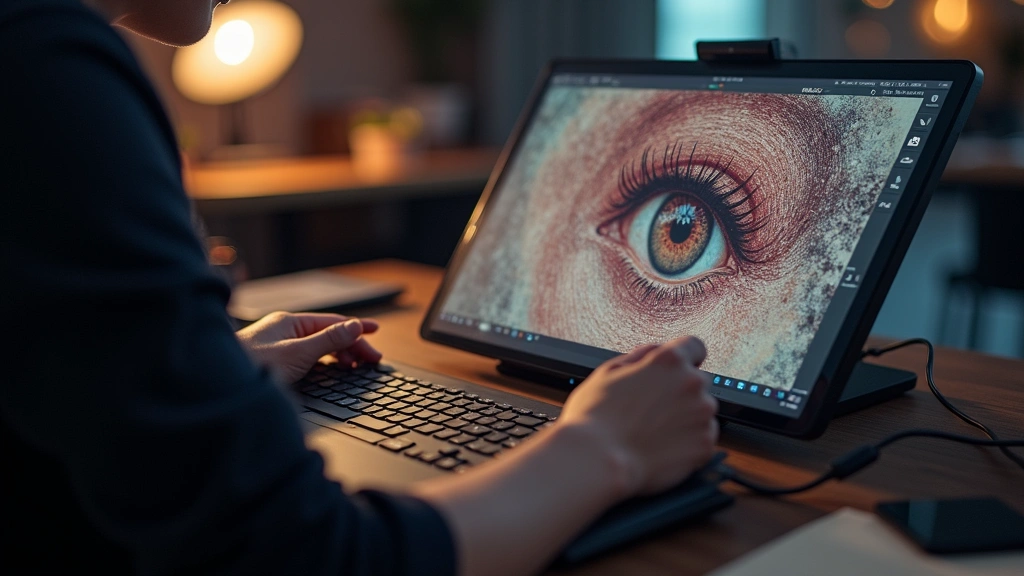
The creative industry has been revolutionized by powerful tech tools that empower designers, artists, musicians, and content creators to push boundaries like never before. Whether you’re a professional looking to streamline your workflow or an enthusiast exploring new creative possibilities, the right technology can transform your creative output. In this comprehensive guide, we’ve curated the top 5 creative tech tools that experts recommend for delivering exceptional results across various disciplines.
These carefully selected tools represent the cutting edge of creative technology, combining intuitive interfaces with powerful features that cater to both beginners and seasoned professionals. From digital illustration to music production, video editing to 3D modeling, each tool has earned its place through consistent innovation and user satisfaction. Let’s explore what makes these creative tech solutions stand out in an increasingly competitive landscape.
1. Wacom One Creative Pen Display: Professional Digital Drawing Made Accessible
The Wacom One represents a breakthrough in making professional-grade creative tech tools accessible to a broader audience. This pen display combines pressure-sensitive technology with a vibrant 16-inch screen, enabling artists to work directly on their canvas with natural pen-to-screen responsiveness. The device features 8,192 levels of pressure sensitivity, ensuring precise control whether you’re sketching delicate lines or applying bold strokes.
What sets the Wacom One apart from competitors is its balance between affordability and performance. Priced competitively, it doesn’t compromise on essential features that creative professionals demand. The display offers full HD resolution (1920 x 1080), which provides adequate screen real estate for detailed work without overwhelming the workspace. The included pressure-sensitive pen requires no batteries and includes customizable side buttons for quick access to frequently used tools.
The build quality demonstrates Wacom’s commitment to durability, with a sturdy aluminum frame that withstands the rigors of daily creative work. The display supports tilt recognition up to 60 degrees, allowing artists to use natural drawing angles that replicate traditional media experiences. Connectivity is seamless through USB-C, providing both data transfer and power in a single cable, reducing desk clutter and simplifying setup.
For those exploring cool tech gifts for 2024, the Wacom One stands as an excellent choice for aspiring digital artists. The learning curve is minimal, thanks to intuitive driver software and extensive online tutorials. Compatibility spans Windows and macOS systems, making it versatile for different creative environments. Professional illustrators consistently praise its pen accuracy, with official specifications confirming sub-millimeter accuracy for precise detail work.
2. Adobe Creative Cloud Suite: The Industry Standard for Comprehensive Creative Solutions
Adobe Creative Cloud remains the gold standard in creative tech tools, offering an integrated ecosystem of applications that address virtually every creative discipline. This subscription-based platform includes Photoshop, Illustrator, Premiere Pro, After Effects, InDesign, and numerous specialized applications designed to work seamlessly together. The cloud synchronization feature ensures your projects remain accessible across multiple devices, enabling fluid workflows whether you’re in the studio or working remotely.
Photoshop stands as the cornerstone of digital image editing, featuring AI-powered tools like Generative Fill that can intelligently complete images or remove unwanted elements. The latest versions incorporate advanced neural filters that automate complex editing tasks, dramatically reducing production time. Illustrator complements this with vector-based design capabilities, perfect for creating scalable graphics, logos, and intricate illustrations that maintain quality at any size.
For video professionals, Premiere Pro offers timeline-based editing with support for 8K resolution and advanced color grading tools. The integration with After Effects enables seamless motion graphics and visual effects creation, while Dynamic Link automatically updates compositions when source files change. This interconnected workflow eliminates redundant exports and keeps creative teams synchronized on complex projects.
Creative professionals often consider Creative Cloud an essential investment, despite the subscription model. The best tech gifts for creative professionals frequently include Creative Cloud subscriptions. Regular updates introduce cutting-edge features without requiring expensive software purchases. Cloud storage integration through Creative Cloud Libraries allows teams to access shared assets instantly, streamlining collaboration and maintaining brand consistency across projects.
The platform’s learning resources are unparalleled, with Adobe offering extensive tutorials, certification programs, and community forums. This educational support makes Creative Cloud accessible to learners while empowering experts with advanced techniques. Industry adoption is universal, making Creative Cloud proficiency a valuable skill for anyone pursuing creative careers.

3. DaVinci Resolve Studio: Professional Color Grading and Video Editing Excellence
DaVinci Resolve Studio has emerged as a formidable competitor in professional video production, offering capabilities previously reserved for expensive dedicated systems. This comprehensive editing platform integrates cutting-edge color grading, visual effects, motion graphics, and audio post-production in a single application. The timeline-based interface accommodates both intuitive workflows for beginners and advanced techniques for experienced colorists.
The color grading capabilities are legendary in the industry, built on decades of DaVinci’s heritage in professional color correction. The node-based grading interface provides granular control over color, contrast, and saturation with mathematical precision. Advanced features include automatic color matching across clips, 3D color wheels for precise hue adjustments, and power windows that isolate corrections to specific image areas. These tools enable colorists to achieve cinematic looks that elevate production quality dramatically.
Studio version includes professional effects libraries, motion graphics tools, and Fairlight audio post-production suite. The audio capabilities rival dedicated DAWs, offering multitrack recording, mixing, and mastering features. Fairlight’s sophisticated editing tools make DaVinci Resolve a complete post-production solution, eliminating the need for multiple software packages. DaVinci Resolve specifications confirm support for virtually every professional video format and resolution.
The free version provides substantial functionality, making DaVinci Resolve accessible to independent creators and students. The Studio version unlocks professional features including unlimited timeline tracks, advanced effects, and GPU acceleration. Performance optimization ensures smooth playback even with complex color grades and effects applied, crucial for real-time creative decision-making during productions.
Industry adoption among professional colorists and editors continues expanding, with DaVinci Resolve powering major film and television productions. The software’s reliability and consistent updates demonstrate Blackmagic Design’s commitment to creative professionals. For those exploring tech pulse hunter blog articles on creative tools, DaVinci Resolve consistently receives top recommendations from video professionals.
4. Ableton Live 12: Revolutionary Music Production and Performance Platform
Ableton Live has redefined music production by seamlessly bridging studio recording with live performance capabilities. This DAW (Digital Audio Workstation) emphasizes creative workflow, featuring Session View for non-linear composition and Arrangement View for traditional timeline-based editing. The dual-view approach enables producers to explore musical ideas organically while maintaining structural clarity for final arrangements.
The instrument library is exceptional, featuring Max for Live integration that unlocks virtually unlimited sound design possibilities. Users can create custom instruments, effects, and MIDI tools using Max’s visual programming environment. This extensibility means Live grows with your creative ambitions, from basic beats to complex generative compositions. The included sounds cover every genre, produced by leading sound designers and regularly updated with fresh content.
Live 12 introduces significant enhancements including improved audio quality, enhanced MIDI capabilities, and better CPU efficiency. The audio engine delivers pristine sound quality whether recording acoustic instruments or processing electronic sources. MIDI tools enable intuitive composition, with features like MIDI scale quantization ensuring harmonically correct performances even when playing expressively. The workflow-centric design means less time navigating menus and more time creating music.
Performance features make Ableton Live indispensable for electronic musicians and DJs. The clip-based system allows launching musical sections with precision timing, enabling spontaneous arrangements during live performances. Clip envelopes automate parameters in real-time, creating dynamic performances that captivate audiences. This blend of studio quality and live performance capability distinguishes Live from traditional DAWs focused exclusively on studio recording.
The learning community surrounding Ableton Live is vibrant and supportive, with countless tutorials, preset banks, and user-created extensions available. Ableton Live features comprehensive documentation and learning resources. Whether you’re producing electronic music, hip-hop beats, or experimental soundscapes, Live provides tools perfectly suited to your creative vision. Many producers consider Live essential creative tech for modern music production.
5. Blender 4.0 Professional Edition: Open-Source 3D Creation Powerhouse
Blender represents a paradigm shift in 3D creative tools by delivering professional-grade capabilities completely free and open-source. Version 4.0 marks a significant milestone, introducing substantial performance improvements, enhanced user interface refinements, and powerful new features that rival expensive proprietary solutions. The platform supports modeling, sculpting, animation, rendering, simulation, and compositing, making it a complete 3D production suite.
The modeling tools in Blender are exceptionally powerful, featuring non-destructive workflows through modifier stacks that maintain creative flexibility throughout development. Hard-surface modeling benefits from advanced boolean operations and retopology tools, while organic modeling is enhanced by intuitive sculpting brushes. The UV unwrapping tools are sophisticated, automating tedious tasks while providing manual control when precision is required. This balance between automation and control appeals to professionals accustomed to expensive specialized software.
Rendering capabilities have been revolutionized through Cycles render engine, which produces physically accurate results using CPU or GPU rendering. The NVIDIA CUDA support enables GPU acceleration on compatible cards, dramatically reducing render times for complex scenes. Eevee, the real-time render engine, provides viewport quality approaching final renders, enabling interactive lighting and material adjustments. This real-time feedback accelerates creative decision-making and iteration cycles.
Animation tools rival professional software, featuring inverse kinematics, bone rigging, and sophisticated graph editing for precise keyframe control. Grease Pencil enables 2D animation within the 3D environment, perfect for combining 2D and 3D elements seamlessly. The simulation engine handles fluid dynamics, smoke, cloth, and particles with impressive realism, enabling complex effects that enhance visual storytelling. Blender official specifications document comprehensive feature sets across all disciplines.
The open-source nature means continuous community contributions and transparent development. Professional studios increasingly adopt Blender, recognizing that free software eliminates licensing costs while maintaining production quality. For creative professionals building their toolkit, Blender offers exceptional value without financial barriers. The learning curve is manageable thanks to extensive documentation and community tutorials, making professional 3D creation accessible to passionate creators worldwide.
Blender’s adoption by major studios and educational institutions validates its professional capability. VFX facilities trust Blender with high-budget productions, and animation studios use it for feature-film quality work. The software’s versatility makes it invaluable for independent creators combining 3D elements with other creative tools in comprehensive productions.

FAQ
What makes creative tech tools essential for modern creators?
Creative tech tools eliminate technical barriers between imagination and execution. They automate repetitive tasks, provide powerful features for complex work, and enable collaboration across teams. The right tools accelerate creative workflows, allowing artists to focus on creative decisions rather than technical limitations. Whether you’re a graphic designer, video editor, musician, or 3D artist, professional creative tech significantly enhances output quality and production efficiency.
Should I invest in expensive creative tools or start with free alternatives?
Both approaches have merit. Free tools like Blender and DaVinci Resolve’s free version provide professional capabilities without financial investment, perfect for learning and experimentation. Paid tools like Adobe Creative Cloud offer integrated workflows, priority support, and premium features that justify investment for professionals. Many creators use hybrid approaches, combining free tools for specific tasks with premium software for core work. Your choice should align with your budget, career stage, and specific creative needs.
How do I choose between different creative tech options?
Evaluate tools based on your specific creative discipline, budget constraints, and workflow preferences. Consider whether you need integration with other software, the learning curve’s steepness, and community support availability. Trial versions and free tiers help determine compatibility with your creative process. Read reviews from professionals in your field, as their insights reflect real-world usage. Visit the best tech stocks analysis for understanding companies behind these tools, though this applies more to investment decisions than creative selection.
Can I achieve professional results with budget-friendly creative tech?
Absolutely. Tools like Blender, DaVinci Resolve’s free version, and open-source alternatives deliver professional-quality results in capable hands. The difference often lies in workflow efficiency and advanced features rather than fundamental quality limitations. Professionals frequently choose budget tools when they excel at specific tasks, creating hybrid workflows combining multiple tools. Your creative skill matters more than tool cost; mastering affordable tools produces superior results compared to using expensive software without proper knowledge.
How important is community support when choosing creative tech?
Community support significantly impacts your learning curve and creative success. Tools with vibrant communities offer abundant tutorials, preset libraries, and user-created extensions that enhance capabilities. Active communities provide troubleshooting help, creative inspiration, and best practices sharing. When evaluating creative tech tools, assess community size and engagement level. Established tools with large communities like Adobe Creative Cloud and Blender provide extensive learning resources, while niche tools might offer less support despite excellent capabilities.
What future trends should creative professionals watch?
AI integration continues advancing creative tools, automating routine tasks and enabling new creative possibilities. Real-time ray tracing improvements accelerate visualization workflows. Cloud-based collaboration features enable remote creative teams to work seamlessly. Subscription models are evolving toward more flexible pricing. Hardware acceleration through GPUs and specialized processors improves performance. Staying informed about these trends helps creative professionals choose tools positioned for future relevance. Explore AI tech stocks for understanding companies innovating in creative technology spaces.


