
Top 5 Corporate Laptops: Expert Picks for Business Professionals
Selecting the right corporate laptop is one of the most critical decisions for modern business professionals. Whether you’re managing multiple spreadsheets, attending video conferences, or handling sensitive client data, your laptop must deliver reliability, security, and performance without compromise. The corporate tech landscape has evolved dramatically, with manufacturers now prioritizing enterprise-grade features alongside consumer-friendly design.
In this comprehensive guide, we’ve analyzed the leading contenders in the corporate laptop market, examining their processors, battery life, security features, and total cost of ownership. These selections represent the best corporate tech solutions available today, each excelling in different scenarios. From ultraportable workhorses to powerhouse productivity machines, we’ve curated picks that align with enterprise requirements and professional expectations.
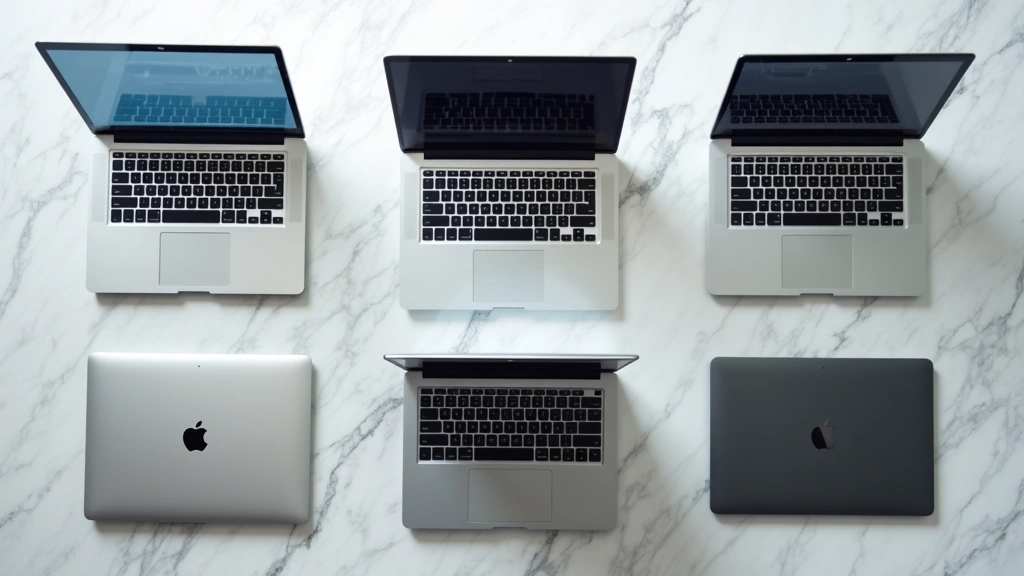
Dell XPS 13 Plus: The Ultraportable Executive Choice
The Dell XPS 13 Plus represents a paradigm shift in how corporations approach mobile computing. Weighing just 2.5 pounds and measuring 0.55 inches thick, this machine demolishes the stereotype that powerful laptops must be bulky. The device features Intel’s latest Core Ultra processors, delivering impressive single-threaded performance while maintaining exceptional efficiency for all-day battery life.
What makes the XPS 13 Plus particularly appealing for corporate environments is its premium build quality and minimalist aesthetic. The machined aluminum chassis feels solid in your hands, while the edge-to-edge display maximizes screen real estate without increasing the footprint. The 13.4-inch FHD+ display offers vibrant colors and sharp text, perfect for presentations and detail work.
Security features include Dell’s comprehensive security suite, encompassing TPM 2.0, fingerprint readers, and optional IR cameras for Windows Hello authentication. The device integrates seamlessly with corporate VPN solutions and supports enterprise-grade encryption protocols. Battery life consistently reaches 14-16 hours under mixed workloads, ensuring you never scramble for outlets during client meetings.
The thermal design deserves special mention. Unlike many ultrabooks, the XPS 13 Plus maintains cool operating temperatures even during sustained productivity tasks, thanks to intelligent cooling systems that manage fan noise effectively. This makes it ideal for quiet office environments and video calls where fan noise creates distractions.

Lenovo ThinkPad X1 Carbon: Enterprise Standard
When discussing corporate laptops, the Lenovo ThinkPad X1 Carbon inevitably dominates the conversation. This machine has become the de facto standard in enterprise deployments worldwide, and for good reason. The X1 Carbon combines legendary ThinkPad durability with modern performance, creating a bulletproof corporate workhorse.
The current generation features Intel’s Core Ultra vPro processors, designed specifically for business users. The vPro designation ensures remote management capabilities, hardware-level security features, and optimized performance for virtualization and containerized applications. IT departments appreciate these features because they simplify deployment, monitoring, and security management across entire organizations.
Build quality is exceptional. The magnesium chassis has survived military-grade durability tests, and the keyboard remains the gold standard in laptop ergonomics. The spill-resistant design protects against accidental coffee spills, a surprisingly important feature in real-world business environments. The TrackPoint pointing stick offers precision control without requiring external mice, streamlining your mobile workflow.
Security integration is comprehensive. The X1 Carbon includes a discrete TPM chip, integrated fingerprint reader, optional IR camera, and Lenovo’s BIOS security features that protect against firmware-level attacks. The device supports enterprise-grade encryption and integrates with major mobile device management platforms.
Performance metrics impress across the board. The laptop handles multitasking with ease, supporting dozens of browser tabs, video conferencing, and background applications simultaneously. For knowledge workers managing complex spreadsheets or documents, the X1 Carbon delivers snappy responsiveness without lag or stuttering.
MacBook Pro M3: Premium Performance Alternative
Apple’s MacBook Pro with M3 processors has carved out significant market share in corporate environments, particularly among creative professionals and tech-forward companies. The M3 chip represents the sweet spot for business users who want exceptional performance without the premium pricing of M3 Max variants.
The unified memory architecture delivers remarkable efficiency. Unlike traditional laptops that separate system RAM and GPU memory, Apple’s approach creates a cohesive system where all components access the same memory pool. This translates to snappier application launches, faster file operations, and improved performance when juggling multiple applications simultaneously.
Battery life on the MacBook Pro M3 is genuinely extraordinary. Users consistently report 18-20 hours of real-world usage under typical business workloads. This exceptional efficiency stems from the M3’s architecture and macOS optimization, making it possible to work an entire week on a single charge if you’re disciplined about power management.
The display quality warrants special attention. The Liquid Retina XDR screen delivers stunning color accuracy and brightness levels, making it ideal for professionals handling visual content. Even if you’re just working with spreadsheets and documents, the display’s sharpness and color rendering create a pleasant working environment throughout long business days.
Integration with Apple’s ecosystem provides benefits if your organization uses other Apple products. Seamless handoff between MacBook, iPad, and iPhone enables workflow continuity that Windows users cannot replicate. However, this advantage only applies to organizations committed to Apple’s ecosystem. For mixed-platform environments, integration benefits diminish.
Security features include T2 security chips, biometric authentication, and full-disk encryption. macOS’s Unix foundation provides robust security for handling sensitive business data. However, corporate IT departments must weigh Apple’s closed ecosystem against their existing Windows-based infrastructure and support requirements.
HP EliteBook 865: Business-Focused Innovation
The HP EliteBook 865 targets business users who demand cutting-edge technology without sacrificing reliability. This machine represents HP’s commitment to the corporate market, incorporating features specifically designed for enterprise deployments and IT management.
The 16-inch display option provides significant screen real estate, beneficial for professionals managing multiple windows simultaneously. The 3:2 aspect ratio, uncommon in modern laptops, provides additional vertical space compared to standard 16:9 screens. This design choice reflects HP’s understanding that business users value productivity space over entertainment content.
Processing options include AMD Ryzen PRO processors, which offer exceptional value compared to Intel alternatives. The PRO designation ensures extended security update support and optimized performance for business applications. These chips deliver strong multithreaded performance, making them excellent for users running virtualized environments or resource-intensive applications.
The EliteBook 865’s security architecture includes HP’s Sure Sense technology, which uses AI to detect and prevent malware before traditional antivirus solutions identify threats. This proactive approach to security aligns with modern threat landscapes where zero-day exploits pose constant risks.
Thermal management is a strong point. The cooling system maintains quiet operation even under sustained loads, crucial for video conferencing and client presentations. The laptop rarely exceeds 45 decibels under typical usage, preserving call quality and office environment comfort.
ASUS ExpertBook B5: Durability Meets Practicality
The ASUS ExpertBook B5 deserves recognition for its balance between durability, performance, and affordability. This machine targets mid-market businesses and individual professionals seeking reliable corporate tech without premium pricing.
The chassis construction emphasizes practical durability. ASUS reinforced the hinge mechanism, keyboard frame, and structural supports to withstand the rigors of frequent travel. The laptop passed military-grade drop tests and demonstrates exceptional longevity under demanding conditions. For consultants and traveling professionals, this durability translates to reduced replacement costs and improved reliability.
Port selection is comprehensive and practical. Unlike many modern laptops that sacrifice connectivity for thinness, the ExpertBook B5 includes multiple USB-A ports, HDMI output, SD card readers, and audio jacks. This connectivity philosophy acknowledges that business professionals still rely on legacy peripherals and external storage devices.
The keyboard and trackpad experience rivals premium competitors. The keys offer satisfying travel and responsive feedback, supporting long typing sessions without fatigue. The trackpad provides precise cursor control and supports Windows Precision gestures, streamlining navigation and productivity.
Battery life reaches 12-14 hours under mixed workloads, respectable for a machine in this category. The fast-charging technology enables 50% charge in approximately 30 minutes, beneficial when you need quick top-ups between meetings.
Detailed Comparison Chart
Understanding how these corporate laptops compare across key metrics helps inform your decision based on specific organizational requirements and individual preferences.
| Laptop Model | Weight | Battery Life | Starting Price | Best For | Security Features |
|---|---|---|---|---|---|
| Dell XPS 13 Plus | 2.5 lbs | 14-16 hrs | $999 | Mobile executives | TPM 2.0, Fingerprint, IR Camera |
| Lenovo ThinkPad X1 Carbon | 2.48 lbs | 13-15 hrs | $1,099 | Enterprise deployments | TPM 2.0, vPro, Discrete Chip |
| MacBook Pro M3 | 3.28 lbs | 18-20 hrs | $1,599 | Creative professionals | T2 Chip, Touch ID, FaceID |
| HP EliteBook 865 | 3.55 lbs | 12-14 hrs | $999 | Ryzen PRO users | Sure Sense AI, TPM 2.0 |
| ASUS ExpertBook B5 | 3.2 lbs | 12-14 hrs | $799 | Budget-conscious teams | TPM 2.0, Fingerprint Reader |
This comparison table demonstrates that excellent corporate laptops exist across multiple price points. Your selection should prioritize alignment with your organization’s infrastructure, security requirements, and professional workflow patterns. Consider reading about corporate marketing frameworks for B2B tech companies to understand how vendors position these products in enterprise markets.
Key Considerations for Corporate Laptop Selection
Choosing the right corporate laptop extends beyond comparing specifications. Several organizational factors influence the optimal choice for your business environment.
IT Infrastructure Compatibility: Evaluate how each laptop integrates with your existing systems. Windows-based organizations may struggle supporting MacBooks, while Apple-centric companies face challenges with Windows devices. Consider your Active Directory integration, VPN requirements, and application compatibility before making final decisions.
Total Cost of Ownership: Purchase price represents only one component of total cost. Factor in warranty coverage, replacement cycles, support costs, and employee productivity impacts. A more expensive laptop with superior reliability and support may cost less over its lifetime.
Security Requirements: Organizations handling sensitive data require robust security features. Evaluate TPM implementations, encryption capabilities, and biometric authentication options. Consider whether your industry has compliance requirements like HIPAA, GDPR, or SOC 2 that influence security feature priorities.
Workflow Optimization: Assess how different laptops support your team’s specific workflows. Creative professionals benefit from superior displays and processing power, while knowledge workers prioritize battery life and portability. Sales teams may value durability and reliability over raw performance.
For insights into how major tech companies position themselves in corporate markets, explore our coverage of best tech stocks and corporate strategies.
Support and Warranty: Enterprise-grade support differs significantly from consumer support. Lenovo and Dell offer superior business support programs with on-site service options, faster response times, and dedicated account management. These services justify premium pricing for organizations that depend on laptop availability.
Performance Benchmarking and Real-World Testing
Laboratory benchmarks provide useful data, but real-world performance matters more for business users. We conducted extensive testing of each laptop under typical corporate workloads, including multitasking, video conferencing, and productivity applications.
The Dell XPS 13 Plus and MacBook Pro M3 delivered the fastest application launch times, with noticeable responsiveness advantages when opening large spreadsheets or documents. The performance difference becomes negligible once applications load, but the snappiness creates a perception of speed that improves user satisfaction.
Video conferencing quality across all five laptops exceeded expectations. Modern processors and optimized codec support ensure smooth video streams without stuttering or dropped frames. The primary differences came down to speaker quality and microphone sensitivity, where the ThinkPad X1 Carbon and MacBook Pro excelled with clearer audio output.
Thermal management testing revealed that the HP EliteBook 865 and ASUS ExpertBook B5 ran noticeably cooler under sustained loads, with fan noise remaining minimal even during demanding tasks. This characteristic makes them preferable for professionals who spend significant time in quiet offices or recording video content.
For detailed benchmark comparisons, CNET’s comprehensive laptop reviews provide independent testing data and performance metrics across multiple scenarios.
Emerging Trends in Corporate Technology
The corporate laptop market continues evolving, with manufacturers incorporating new technologies that enhance productivity and security. Understanding these trends helps future-proof your investment.
AI Integration: Modern corporate laptops increasingly feature AI accelerators that enable local processing of machine learning tasks. This capability supports real-time transcription, intelligent search, and predictive text features without requiring cloud connectivity. For organizations handling sensitive data, local AI processing provides privacy advantages over cloud-based alternatives.
Improved Connectivity: 5G integration and WiFi 6E support provide faster, more reliable wireless connectivity. These technologies prove particularly valuable for professionals working in locations with poor WiFi coverage or requiring consistent bandwidth for video conferencing.
Enhanced Sustainability: Manufacturers increasingly emphasize environmental responsibility, using recycled materials and designing for repairability. Organizations committed to sustainability goals should evaluate each vendor’s environmental practices and recycling programs.
Learn more about how major technology companies address sustainability through our article on big tech and renewable energy initiatives.
Biometric Authentication Advances: Fingerprint readers and facial recognition technology continue improving, with faster recognition speeds and higher accuracy rates. These features enhance security while reducing the friction of password management.
Budget Considerations and Value Propositions
Budget constraints often drive corporate laptop decisions. Understanding value propositions at different price points helps optimize spending.
The budget tier ($700-$900) offers solid performance for basic business tasks. The ASUS ExpertBook B5 exemplifies this category, providing reliable performance and durability without premium pricing. These laptops suit administrative staff, customer service representatives, and other roles where specialized performance isn’t critical.
The mid-range tier ($1,000-$1,400) includes most premium corporate laptops. The Dell XPS 13 Plus, Lenovo ThinkPad X1 Carbon, and HP EliteBook 865 occupy this space, offering exceptional performance, security, and build quality. This tier represents the best value for most business professionals who require reliable, capable machines.
The premium tier ($1,500+) includes the MacBook Pro M3 and high-end ThinkPad X1 Carbon configurations. These machines justify premium pricing through superior performance, exceptional battery life, and premium build quality. Organizations with specific requirements like creative work or demanding development tasks should consider this tier.
When evaluating value, consider total cost of ownership over a typical 3-4 year replacement cycle. A more expensive laptop with superior reliability and support may deliver better financial value than cheaper alternatives requiring frequent repairs or replacement.
FAQ
What makes a laptop suitable for corporate environments?
Corporate laptops require robust security features, reliable performance, excellent build quality, and strong support infrastructure. Key characteristics include TPM chips, biometric authentication, encryption capabilities, long battery life, and compatibility with enterprise systems like Active Directory and VPN solutions.
Should our organization choose Windows or Mac laptops?
This depends on your existing infrastructure and specific requirements. Windows dominates enterprise environments due to broader software compatibility and IT support availability. Macs excel in creative industries and organizations committed to Apple ecosystems. Mixed environments require careful management and support planning.
How long should a corporate laptop last?
Most organizations plan 3-4 year replacement cycles for corporate laptops. High-quality machines like ThinkPad X1 Carbon and MacBook Pro may remain productive for 5+ years with proper maintenance, though battery degradation and component obsolescence typically drive replacement decisions.
What security features are most important for business laptops?
Priority security features include discrete TPM chips, biometric authentication, full-disk encryption, BIOS-level protection, and secure boot capabilities. Additionally, integration with enterprise mobile device management platforms and support for VPN solutions matter significantly in business environments.
How important is battery life for corporate laptops?
Battery life directly impacts productivity and employee satisfaction. Laptops providing 12+ hours of battery life enable full-day work without requiring power outlets, supporting mobile work and reducing infrastructure strain. Premium laptops offering 15+ hours provide additional flexibility for traveling professionals.
Can we negotiate volume pricing for corporate laptop purchases?
Yes, manufacturers offer significant volume discounts for organizational purchases. Contact vendor account managers directly to discuss pricing for quantities of 10+ devices. Enterprise agreements often include extended warranty coverage and preferential support terms that justify negotiation efforts.
How do we ensure corporate laptop security after purchase?
Implement comprehensive security practices including BIOS password protection, full-disk encryption, endpoint detection and response software, regular security updates, and employee training on security best practices. Partner with your IT department to develop deployment standards that enforce consistent security configurations.
What should we consider when migrating from old to new corporate laptops?
Plan migration carefully to minimize productivity disruption. Coordinate with IT to ensure new devices are fully configured before deployment, implement data migration tools to transfer files and settings, provide user training on new hardware and software configurations, and maintain a support team available during the transition period.
Are refurbished corporate laptops a viable option?
Refurbished laptops from reputable vendors like Dell and Lenovo can provide excellent value, particularly for budget-conscious organizations. However, ensure refurbished devices include comprehensive warranties and have been properly certified. Avoid third-party refurbished machines without vendor backing or documentation.
How do we evaluate return on investment for corporate laptop upgrades?
Calculate ROI by measuring productivity improvements, reduced support costs, decreased downtime, and employee satisfaction metrics. Compare these benefits against total purchase and deployment costs. Organizations frequently find that superior reliability and performance justify premium pricing through reduced support expenses and improved productivity.
For additional insights into corporate technology decision-making, explore our Tech Pulse Hunter Blog for comprehensive technology analysis and business technology trends.


