
Need Cisco Tech Support? Expert Tips Inside!
Cisco networking infrastructure powers countless enterprises worldwide, but when issues arise, knowing how to access Cisco tech support efficiently can save hours of downtime and frustration. Whether you’re managing switches, routers, security appliances, or cloud services, understanding the support landscape helps you resolve problems faster and keep your network running smoothly.
This comprehensive guide walks you through Cisco’s support options, troubleshooting strategies, and insider tips that tech professionals use daily. From basic connectivity issues to complex configuration problems, we’ll cover everything you need to know about getting the right help when you need it.
Understanding Cisco Support Tiers
Cisco offers multiple support levels designed for different organizational needs and budgets. The primary support tiers include Cisco SMARTnet, which provides 24/7 technical support, hardware replacement, and software updates. This is the gold standard for mission-critical infrastructure, offering rapid response times and direct access to senior engineers.
For smaller deployments, Cisco provides Cisco Support Services with flexible options. These range from pay-per-incident support to annual contracts with varying response times. Understanding which tier matches your infrastructure helps ensure you’re getting appropriate support without overpaying for unnecessary features.
SMARTnet contracts typically include priority handling, meaning your issue gets escalated faster than standard support cases. Response times vary from 15 minutes for critical issues on premium plans to 8 business hours for standard incidents. This distinction matters significantly when your network is down.
Cisco also offers specialized support for specific product lines. If you’re running enterprise infrastructure, you might benefit from dedicated support teams familiar with your deployment. Many organizations negotiate custom support packages that include technical account managers and proactive health checks.
How to Access Cisco Tech Support
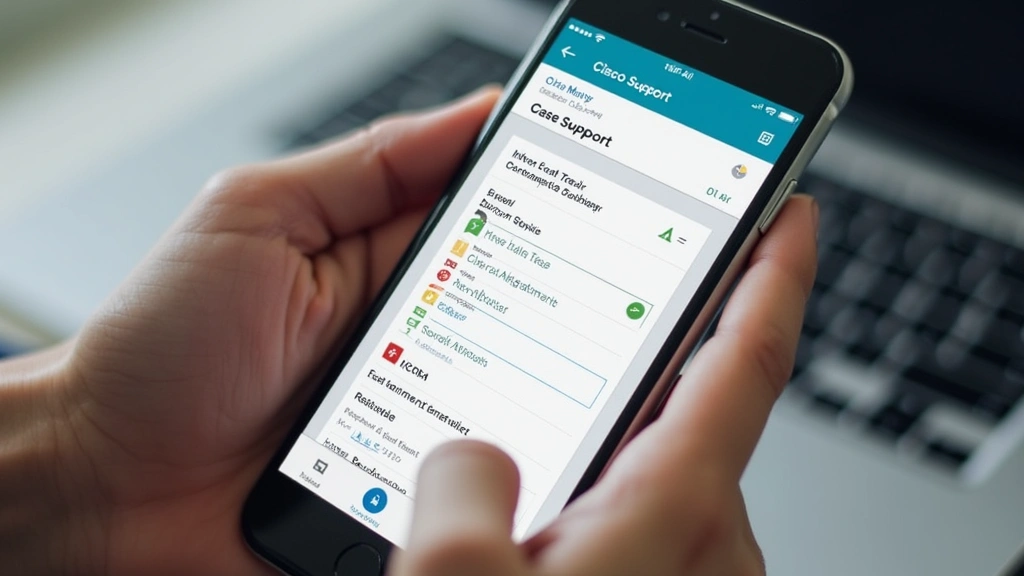
Accessing Cisco tech support begins at the Cisco Support portal, your central hub for all support activities. You’ll need a Cisco account to log in; if you don’t have one, registration is straightforward and free. Once authenticated, you can open cases, track existing tickets, and access documentation.
The most direct method is opening a support case through the portal. Click “Open a new case” and select your product category. Cisco’s interface guides you through providing essential information: affected devices, error messages, steps you’ve already taken, and business impact. Be detailed here—it accelerates initial triage significantly.
For urgent issues, Cisco provides phone support. Your support contract determines whether you have 24/7 phone access or business-hours-only availability. Premium SMARTnet contracts guarantee immediate escalation to engineering teams. Have your contract number and case number ready before calling; this speeds up authentication and context retrieval.
Email support works well for non-critical issues. Response times depend on your support tier, but expect 1-2 business days for standard accounts. Email is excellent for documentation purposes since you maintain a written record of all interactions and recommendations.
Community-based support through Cisco Learning Network Community connects you with other users and Cisco employees. While not official support, community members often solve problems faster than formal channels. This resource is particularly valuable for configuration questions and best practices.
Preparing Information Before Contacting Support
Coming prepared dramatically improves support interactions. Before contacting Cisco tech support, gather critical information about your environment. Document your device models, firmware versions, and configuration details. You can find this through CLI commands like “show version” on most Cisco devices.
Collect error messages verbatim. Screenshot or copy exact error text—this helps Cisco engineers search knowledge bases for known issues. Include timestamps of when problems started and any recent changes to your network. Did someone update firmware? Modify configurations? Change ISP settings? Context matters enormously.
Document your troubleshooting steps. This shows you’re not asking for basic help and prevents support from suggesting solutions you’ve already tried. Create a simple timeline: “9:00 AM – users reported slow connectivity; 9:15 AM – verified CPU usage normal; 9:30 AM – checked interface statistics.”
Prepare network diagrams showing affected devices and their connections. Even simple ASCII diagrams help support engineers understand your topology. Include information about network size, number of users affected, and business impact. A problem affecting 10 users gets different prioritization than one affecting 1,000.
If possible, gather logs before contacting support. Most Cisco devices support logging to external syslog servers. Having logs available accelerates diagnosis significantly. Support engineers often spot patterns in logs that users miss entirely. When submitting logs, remove sensitive information like IP addresses or passwords.

Common Cisco Issues and Solutions
Network connectivity problems rank among the most common Cisco support cases. When devices can’t communicate, start with basics: verify physical connections, check interface status with “show interfaces,” and review IP configuration with “show ip route.” Many issues resolve at this level without contacting support.
Interface flapping—where ports repeatedly go up and down—often indicates physical layer problems. Check for bad cables, incompatible optics, or duplex mismatches. For fiber connections, verify transceiver compatibility and clean connector ends. These physical issues frequently frustrate users because they seem intermittent and difficult to diagnose.
Authentication failures with RADIUS or TACACS+ typically stem from shared secret mismatches or timeout configurations. Verify the secret matches exactly on both device and authentication server. Check network connectivity between Cisco device and auth server. Enable debug logging with “debug radius” to see actual exchanges.
Performance degradation without obvious cause often relates to hardware resource constraints. Check CPU and memory utilization with “show processes cpu” and “show memory.” High CPU usage might indicate excessive logging, routing protocol issues, or security threats. Memory pressure can cause packet loss and unpredictable behavior.
Security-related issues—like unexpected access denials or traffic blocking—usually involve ACL misconfigurations. Review your access lists with “show access-lists” and trace packet flow through your policies. Many organizations find their security rules are too restrictive, blocking legitimate traffic. Cisco support can help refine policies balancing security and functionality.
Software bugs occasionally cause problems despite proper configuration. Cisco maintains a Bug Search Tool where you can investigate known issues affecting your firmware version. Support engineers often identify bugs faster than users because they maintain updated bug databases.
Self-Service Support Resources
Before opening a support case, leverage Cisco’s extensive self-service resources. The Cisco Documentation portal contains thousands of configuration guides, troubleshooting documents, and design best practices. Search by product and problem type to find relevant guides quickly.
Configuration examples demonstrate proper setup for common scenarios. Whether you’re configuring BGP, OSPF, VPN, or security policies, Cisco provides annotated examples showing correct syntax and explaining each command. These examples often solve configuration issues without support involvement.
Release notes for each firmware version document new features, bug fixes, and known limitations. Before upgrading, review release notes carefully. They often mention issues affecting your specific use case or hardware. This prevents painful post-upgrade discoveries.
Cisco’s learning resources, including Cisco Learning Network, provide free courses and training materials. Understanding Cisco technologies deeply prevents many support issues. When users understand their devices better, they troubleshoot more effectively and avoid configuration mistakes.
Video tutorials demonstrate complex procedures visually, often clearer than written documentation. Cisco’s YouTube channel and partner channels provide troubleshooting walkthroughs. These help you understand not just what to do, but why each step matters.
Consider visiting CNET’s networking section for independent reviews and troubleshooting guidance on Cisco products. Third-party perspectives often provide practical insights that complement official documentation.
Advanced Troubleshooting Techniques
Professional network administrators employ advanced troubleshooting techniques that dramatically accelerate problem resolution. Start with packet captures using tools like Wireshark or Cisco’s built-in capture capabilities. Analyzing actual traffic reveals what’s happening at the protocol level—often exposing issues invisible through standard diagnostics.
Enable debug logging strategically. Debug output generates significant CPU load, so enable only relevant debugs on production devices during maintenance windows. For example, “debug ip packet detail” shows every packet processed, while “debug ip ospf adjacency” focuses on routing protocol issues. Always disable debug when finished—it impacts performance significantly.
Use ping and traceroute systematically to map network paths. Extended ping options let you test specific source IPs and sizes. Traceroute identifies where packets are lost or delayed. These fundamental tools, used properly, solve many connectivity issues quickly.
Document your network’s baseline performance metrics. CPU usage, memory consumption, bandwidth utilization, and packet loss rates establish normal operation. When problems occur, comparing current metrics to baseline accelerates root cause identification. Many organizations maintain historical graphs showing trends over weeks and months.
Implement NetFlow or sFlow for traffic analysis. These technologies show what’s actually crossing your network—which hosts talk to which services, how much bandwidth each application uses, and where congestion occurs. This visibility prevents wild guesses and focuses troubleshooting on actual problems.
When escalating to Cisco support, provide packet captures and debug output. These give support engineers concrete data rather than descriptions. A 10-second packet capture often reveals problems that hours of discussion wouldn’t uncover. Compress and anonymize captures before uploading to support systems.
Consider implementing monitoring and alerting systems like Cisco Prime or third-party solutions. These detect problems proactively, often before users notice. Alerting on thresholds prevents emergencies by catching issues early when they’re easier to resolve.
FAQ
What information do I need to open a Cisco support case?
Gather your device model, firmware version, contract number, and detailed problem description including error messages, affected devices, and steps already attempted. The more specific you are, the faster support can help you. Include your business impact assessment—whether the issue affects one user or your entire organization.
How long does Cisco support typically take to respond?
Response times vary by support tier. SMARTnet premium contracts guarantee 15-30 minute response for critical issues. Standard support typically responds within 2-4 hours for urgent cases and 1-2 business days for non-critical issues. Always provide clear severity assessment to ensure appropriate prioritization.
Can I get Cisco tech support without a contract?
Yes, but with limitations. Pay-per-incident support costs more per case but requires no annual commitment. For one-off issues on non-critical devices, this works fine. For production infrastructure, SMARTnet contracts provide better value and faster response times.
What’s the difference between SMARTnet and standard support?
SMARTnet includes 24/7 support, hardware replacement, software updates, and priority handling. Standard support offers limited hours and slower response times. SMARTnet costs more but provides comprehensive coverage suitable for production environments.
How do I check if my device is still under warranty?
Log into the Cisco Support portal and navigate to your devices list. Each device shows warranty status and expiration date. You can also contact Cisco support with your serial number to verify warranty coverage. Expired warranties require either renewal or pay-per-incident support.
Can Cisco support help with configuration questions?
Yes, but not all support tiers include configuration help equally. SMARTnet contracts provide comprehensive configuration support. Standard support focuses on troubleshooting existing issues rather than designing new configurations. For design help, consider Cisco Professional Services or consulting partners.
What should I do if I disagree with Cisco support’s recommendation?
Request escalation to senior engineers or request a second opinion. Document your concerns clearly. Cisco’s escalation process ensures experienced engineers review complex issues. If you have enterprise contracts, your technical account manager can facilitate escalations.
How can I prevent common Cisco issues?
Follow best practices: maintain current firmware, monitor device health metrics, document configurations, implement redundancy, and conduct regular backups. Consider upgrading to newer equipment if running end-of-life devices. Proactive management prevents many support cases entirely.
Does Cisco offer remote support?
Yes, most support interactions happen remotely. Support engineers can view your device via SSH or serial console. For physical issues requiring hands-on intervention, Cisco coordinates hardware replacement through logistics partners. Remote support is faster and often preferred unless hardware replacement is necessary.
Can I get support for devices I purchased secondhand?
Possibly, but with restrictions. Cisco validates hardware ownership and serial numbers. Secondhand devices without valid contracts require pay-per-incident support. SMARTnet contracts are transferable but may require registration changes. Check with Cisco before purchasing used equipment if ongoing support matters.


