Table of Contents
Introduction
You know that moment when you’re trying to read something on your screen, but all you can see are fingerprints, dust, and mysterious smudges? Yeah, we’ve all been there. A clean screen isn’t just about making things look pretty—it actually makes your device last longer and work better. Whether you’re grinding through work projects, gaming into the night, or just scrolling through social media, keeping your screen spotless matters more than you might think.
Here’s the thing about screen cleaning: most people are doing it wrong. I see it all the time—someone grabs a paper towel and some random cleaner, thinking they’re helping their device. But those harsh materials and cleaning solutions? They’re actually scratching and degrading your screen surface. The good news is that once you know the right techniques and grab the proper supplies, it’s actually pretty straightforward. These expert tips on screen cleaning techniques can save you from those common mistakes that leave your screen worse than when you started. And while you’re at it, learning how to safely clean your laptop keyboard makes perfect sense—why stop at just the screen when you can get your whole device looking fresh?
Now, here’s what makes modern screens tricky. Many come with special coatings—anti-glare, touch screen, you name it. These aren’t just marketing gimmicks; they actually need special care. That’s why it’s worth taking some time to understand your device better. Even something like upgrading and maintaining your computer hardware can give you insights into what kind of screen you’re working with, so your cleaning routine doesn’t accidentally mess things up. Trust me, with the right approach, you can get rid of all that dust, oil, and grime without worrying about permanent damage.
But let’s talk about why this actually matters beyond just looking good. A clean screen is easier on your eyes—less glare, better visibility, especially if you’re one of those people who practically lives in front of a computer. (Guilty as charged.) Plus, think about all the bacteria and allergens that build up on something you touch and breathe near all day. Keeping it clean isn’t just about tech maintenance; it’s about creating a healthier workspace. The techniques we’re covering work great for tablets and monitors too, so you’re basically learning a skill that’ll help with all your devices.
What You’ll Learn in This Guide
This guide breaks down everything you need to know about cleaning your computer screen safely and effectively—no guesswork, no trial and error. Here’s what we’re covering:
- Understanding Why Cleaning Matters: We’ll explore how dust, dirt, and smudges actually affect your screen quality and hygiene, plus why making this a regular habit keeps your device running at its best.
- Gathering the Right Supplies: You’ll discover which cleaning materials are safe for every type of computer screen, and just as importantly, which ones to avoid like the plague.
- Step-by-Step Cleaning Process: I’ll walk you through the entire process from start to finish—when to turn off your device, what motions work best, and how to get that grime off without stress.
- Common Mistakes to Avoid: Let’s be honest, there are some cleaning mistakes that can seriously damage your screen. We’ll cover the biggest ones so you can avoid them completely.
- Common Mistakes to Avoid: Learn about the frequent errors that can harm your screen or make your cleaning less effective, so you can sidestep these issues and keep your display looking perfect.
Coming up, we’ll get into the nitty-gritty of the actual cleaning process. Don’t worry—I’ll keep it simple and straightforward, whether you’re a complete beginner or someone who just wants to make sure they’re doing it right. By the time we’re done, you’ll feel confident about keeping your screen in pristine condition, which means a clearer, more comfortable experience every time you sit down at your computer.
If you’re curious about the bigger picture of tech maintenance, checking out latest software development trends and technology in smart homes might give you some interesting insights into how device care fits into the broader tech landscape. Screen cleaning might seem like a small thing, but it’s actually a crucial part of taking care of your tech investment.
Whether you’re brand new to this or you’ve been cleaning screens for years (just maybe not the right way), this guide will set you up with practical methods that actually work. Ready to transform your screen cleaning routine from guesswork into a simple practice that protects your display and improves your daily tech experience? Let’s dive in.
Your computer screen is probably dirtier than you think. And no, I’m not judging—we’ve all been there. Dust settles, fingers leave smudges, and before you know it, you’re squinting through a layer of grime that makes everything look fuzzy. But here’s the thing: keeping your screen clean isn’t just about aesthetics (though it definitely helps). It’s about protecting your investment and actually being able to see what you’re working on. One wrong move with the wrong cleaner, though, and you could end up with permanent damage that’ll have you shopping for a new monitor. So let’s talk about how to do this right—safely and effectively—so your screen stays crystal clear for years to come.
Why Proper Cleaning Methods and Materials Matter for Your Computer Screen
Here’s what most people don’t realize: your computer screen is more delicate than it looks. Those anti-glare coatings? They can be wiped away forever with the wrong cleaner. That beautiful LCD panel? It can scratch easier than you’d expect. And don’t even get me started on what happens when cleaning liquid seeps into the edges and fries your electronics.
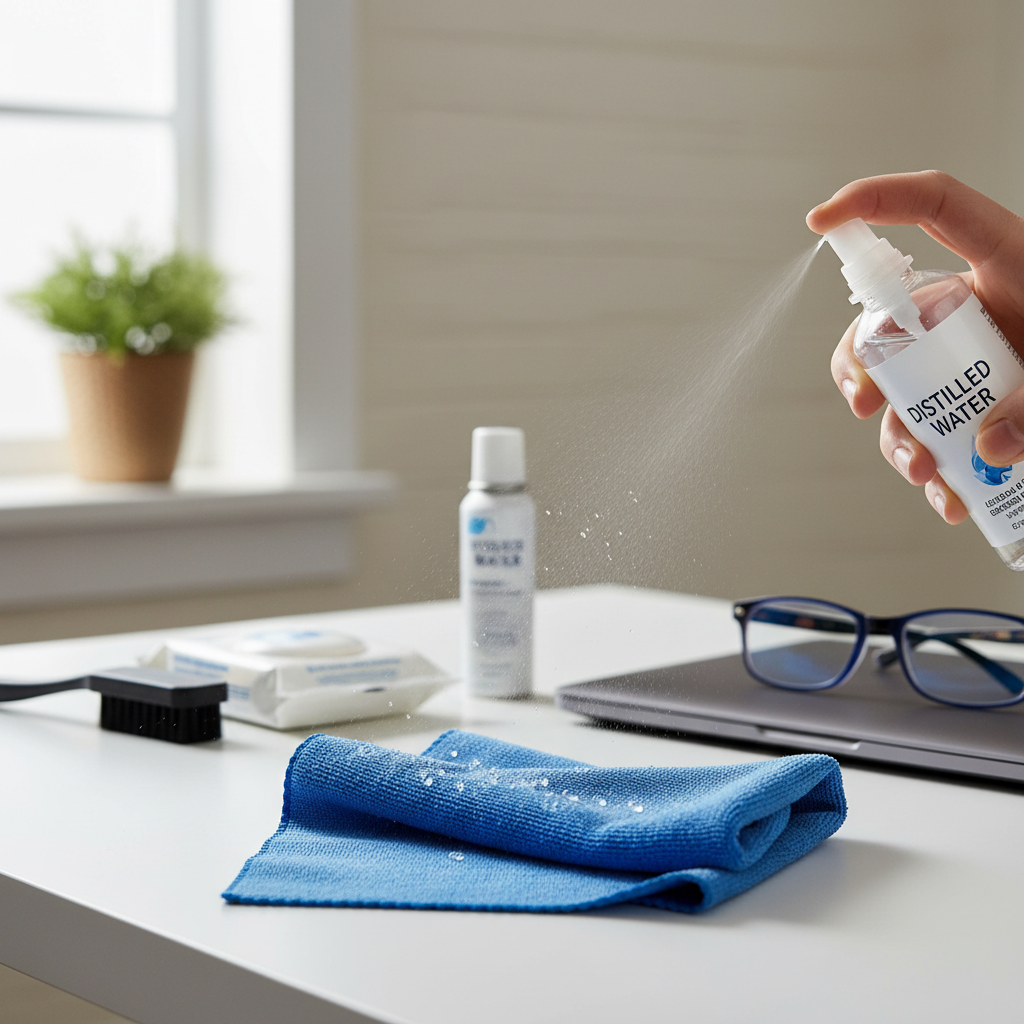
The good news? With the right approach, cleaning your screen is actually pretty straightforward. Microfiber cloths are your best friend here—they’re soft enough to avoid scratches but effective enough to grab all that dust and oil. Pair them with distilled water or a screen-safe cleaner, and you’re golden. For those stubborn dust bunnies hiding in corners, a soft brush works wonders.
But here’s what you absolutely need to avoid: paper towels (surprisingly scratchy), household cleaners with ammonia or alcohol (coating killers), and anything abrasive. Trust me, I’ve seen too many screens ruined by well-meaning cleaning attempts. When in doubt, check out this expert guidance on how to clean computer screens safely—it’ll save you from some expensive mistakes.
Key Considerations for Choosing Cleaning Supplies
Not all cleaning supplies are created equal. Some will pamper your screen, others will destroy it. Here’s what you need to know when you’re standing in that cleaning aisle, trying to figure out what’s safe:
- Use Microfiber Cloths: These little miracle workers are gentle enough for the most sensitive screens but tough enough to grab oils and dust. Plus, they’re reusable—just toss them in the wash when they get too grimy.
- Opt for Distilled Water: Tap water might seem fine, but those minerals will leave spots all over your freshly cleaned screen. Distilled water is pure, streak-free, and won’t leave any weird residue behind.
- Screen-Specific Cleaners: Look for products specifically designed for electronics. They’re formulated to be gentle on coatings while still cutting through fingerprints and grime effectively.
- Soft Brushes or Compressed Air: For dust that’s settled into ports or tight spaces, these tools let you clean without moisture or pressure that could cause damage.
What you don’t want to use is just as important. Paper towels might seem convenient, but they’re essentially sandpaper for your screen. Regular household cleaners? They’re way too harsh. Ammonia-based products will strip protective coatings faster than you can say “oops.”
Getting your supplies right is half the battle. Once you’ve got the right tools, the actual cleaning process becomes much simpler and safer.
Step-by-Step Guide to Safely Cleaning Your Computer Screen
Ready to get that screen sparkling? Good—because I’m about to walk you through the exact process that’ll get your display looking like new without risking any damage. It’s not complicated, but there are definitely some dos and don’ts you’ll want to follow.
Before we jump in, you might find it interesting how technology integration supports maintenance routines at home—keeping your devices clean is just one part of a well-maintained tech ecosystem.
Essential Steps in the Screen Cleaning Process
Follow these steps, and you’ll have a perfectly clean screen without any of the drama that comes from doing it wrong:
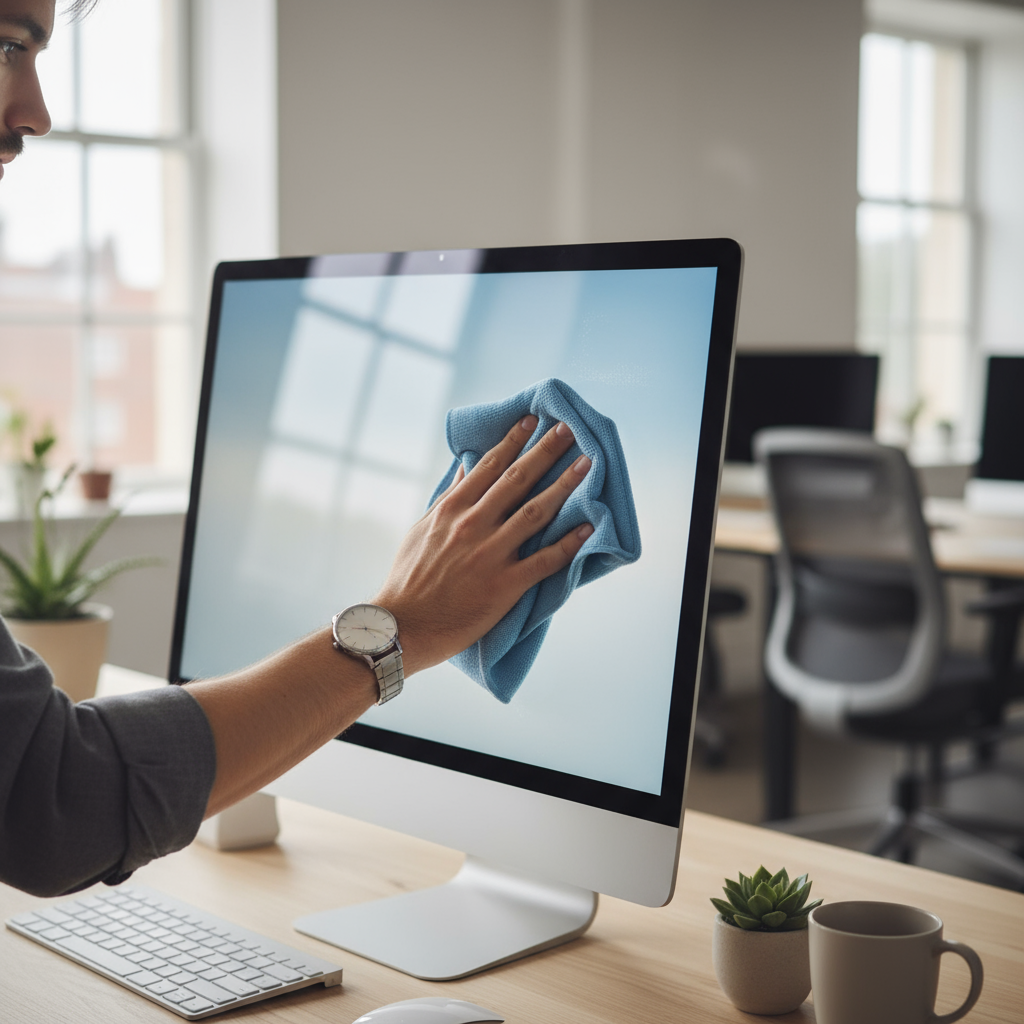
- Preparation: First things first—turn off your computer and unplug it. This isn’t just about safety (though that matters); a dark screen shows smudges way better than a bright one. Start with a completely dry microfiber cloth and gently dust off any loose particles. No pressure here—just let the cloth do the work.
- Cleaning: Now for the actual cleaning. Lightly dampen your microfiber cloth with distilled water or screen cleaner. And I mean lightly—it should be barely damp, not wet. Never spray directly onto the screen (that’s how liquid gets into places it shouldn’t). Use gentle, circular motions across the entire surface.
- Attention to Edges: Be extra careful around the edges where liquid could sneak inside your device. Keep that cloth just barely damp, and avoid pressing too hard near the bezels and corners.
- Drying and Inspection: Grab a fresh, dry microfiber cloth and buff away any remaining moisture. Check your work—if you spot any streaks or missed areas, just repeat the process with a clean, slightly damp cloth.
That’s it—really. The key is being gentle and patient. No scrubbing, no soaking, no aggressive pressure. Just consistent, careful cleaning that protects your screen while getting it perfectly clean.
Make this part of your regular routine (maybe once a week, depending on how much you use your computer), and you’ll never have to deal with that squint-through-the-grime situation again. Plus, your screen will look better and last longer—which is a win all around.

So there you have it—everything you need to know about keeping your computer screen spotless. We’ve covered why a clean screen matters (hello, crystal-clear display and protected coatings), what supplies actually work (microfiber cloths and distilled water are your best friends), and what to avoid at all costs. Trust me, ammonia-based cleaners are not your screen’s friend. The step-by-step process we walked through? It’s designed to keep you safe from those cringe-worthy moments when you accidentally damage your screen with too much moisture or overly aggressive scrubbing.
Here’s what really makes the difference: sticking to a regular cleaning schedule that fits your lifestyle. Whether you’re a heavy user or more of a casual computer person, regular maintenance prevents that annoying visual strain and keeps bacteria from setting up camp on your screen. Plus, your screen will thank you by lasting longer and performing better. It’s a win-win that extends to all your devices—tablets, monitors, you name it.
Ready to level up your tech maintenance game? Cleaning your screen is just the beginning. If you’re feeling ambitious, you might want to tackle upgrading your computer’s performance with our straightforward guide on how to upgrade computer RAM. And since we’re talking about keeping things clean, don’t forget about how to clean your laptop keyboard—because what’s the point of a pristine screen if your keyboard is a mess? For those who love staying ahead of the curve, checking out the latest software development trends in 2024 gives you insight into where technology is heading and how to keep your setup current.
You’re now equipped with everything you need to keep your screen looking brand new. Every time you sit down at your computer, you’ll notice the difference—sharper text, vibrant colors, and that satisfying feeling of a well-maintained workspace. Keep up the good work, and remember that small maintenance habits like this add up to a much better tech experience overall. Your future self will definitely thank you.
Frequently Asked Questions
-
Can I use regular household cleaners on my computer screen?
- No, many household cleaners contain chemicals that can damage screen coatings.
-
Is it safe to spray cleaning solution directly on the screen?
- No, always apply cleaner to a cloth first to avoid moisture seeping into the device.
-
What type of cloth is best for cleaning?
- Microfiber cloths are ideal because they clean without scratching.
-
How often should I clean my computer screen?
- Typically, cleaning once every 1-2 weeks is sufficient unless the screen gets dirty faster.