
Clip Art Tech: Revolutionizing Digital Design
The digital design landscape has undergone a dramatic transformation in recent years, and clip art technology stands at the forefront of this revolution. What was once considered a basic, often cheesy design element has evolved into a sophisticated toolset that powers modern creative workflows across industries. Today’s clip art tech represents a convergence of artificial intelligence, cloud computing, and intuitive user interfaces that make professional-grade design accessible to everyone from freelance creators to enterprise teams.
Whether you’re a content creator, marketing professional, or business owner, understanding how clip art technology works and leveraging its capabilities can significantly enhance your digital presence. Modern clip art solutions have transcended their humble origins to become essential components in AI-powered design platforms that rival traditional design software in functionality and ease of use.
Evolution of Clip Art Technology
The journey of clip art technology spans several decades, beginning with simple vector graphics and bitmap images that designers manually inserted into documents. In the 1980s and 1990s, clip art was primarily distributed on CD-ROMs containing thousands of pre-made illustrations, photos, and design elements. These collections were often generic, poorly organized, and difficult to customize for specific projects.
The digital revolution transformed this landscape entirely. Modern clip art technology now leverages cloud infrastructure, machine learning algorithms, and vast databases of curated visual content. Platforms like Canva have democratized design by combining clip art repositories with intuitive drag-and-drop interfaces. The shift toward cloud-based platforms has enabled real-time collaboration, automatic backup, and seamless synchronization across devices.
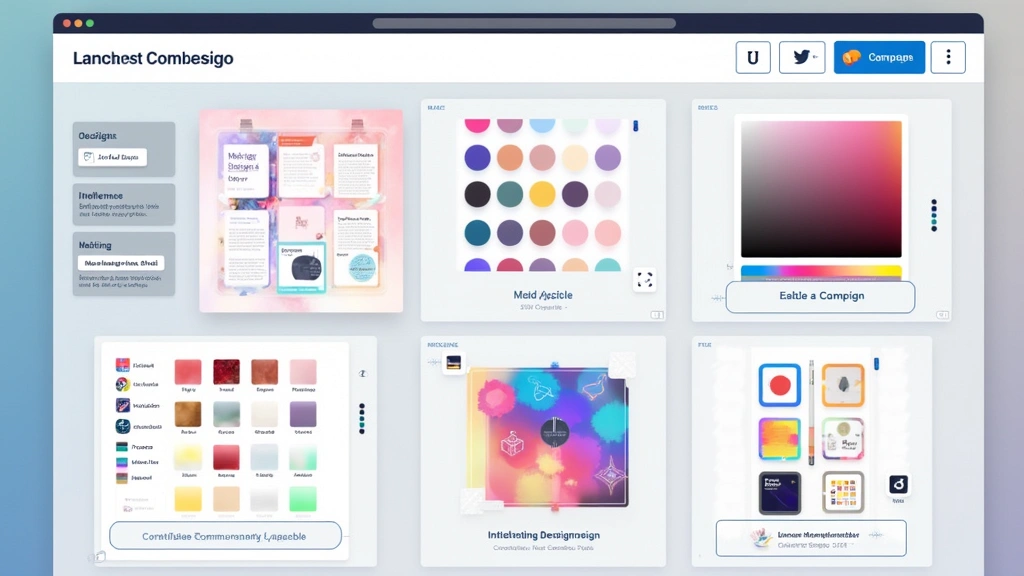
Today’s clip art tech incorporates vector graphics that scale infinitely without quality loss, extensive stock photography libraries, customizable templates, and intelligent search functionality. The integration of artificial intelligence has introduced features like automatic design suggestions, color palette generation, and smart object recognition that would have seemed like science fiction just a decade ago.
Core Features and Capabilities
Modern clip art technology platforms offer an impressive array of features designed to streamline the creative process. Let’s examine the essential capabilities that define contemporary solutions:
- Extensive Asset Libraries: Leading platforms maintain collections exceeding 10 million assets, including illustrations, icons, photos, and animations. These libraries are continuously updated with new content reflecting current design trends and cultural relevance.
- Advanced Search and Discovery: Intelligent search algorithms use natural language processing to understand user intent. You can search by style, color, mood, or subject matter, and the system returns highly relevant results within milliseconds.
- Customization Tools: Users can modify colors, dimensions, transparency, and other properties of clip art elements. Vector-based assets allow infinite scaling without pixelation, while raster images maintain quality at multiple resolutions.
- Template Systems: Pre-designed templates for social media posts, presentations, marketing materials, and business documents accelerate project creation by providing professional starting points.
- Brand Kit Management: Teams can store brand colors, fonts, and logos for consistent application across all designs, ensuring cohesive visual identity across projects.
- Real-Time Collaboration: Multiple team members can work simultaneously on designs, viewing changes instantly and communicating through integrated comment systems.
- Export Flexibility: Designs export in multiple formats (PNG, JPG, PDF, SVG) optimized for different use cases—web, print, or digital media.

AI Integration and Smart Design
Artificial intelligence has become the defining feature of next-generation clip art technology. AI-powered design assistants now analyze user preferences, project context, and design principles to suggest optimal layouts, color combinations, and visual elements. This represents a paradigm shift from passive asset libraries to active design partners.
Machine learning algorithms train on millions of successful designs to understand what makes visual content effective. When you describe a project—say, a social media campaign for a sustainable fashion brand—the AI can recommend appropriate clip art styles, suggest complementary color palettes, and even propose layout structures based on platform-specific best practices.
Natural language processing enables conversational interfaces where designers describe their vision in plain English, and the system translates these descriptions into visual designs. Some platforms now feature generative AI that creates custom illustrations based on text prompts, expanding creative possibilities beyond pre-made clip art collections.
These AI systems continuously learn from user interactions, understanding which design choices lead to engagement and sharing. Over time, the recommendations become increasingly personalized and accurate. The technology also identifies accessibility issues, suggesting improvements for color contrast, text readability, and inclusive design principles.
Cloud-Based Solutions for Collaboration
The migration of clip art technology to cloud infrastructure has fundamentally changed how creative teams operate. Cloud-based platforms eliminate the need for expensive software installations and provide automatic updates without user intervention. Performance specifications for modern clip art platforms are impressive: most cloud solutions process complex designs with hundreds of elements in real-time, with latency under 100 milliseconds.
Storage capacity has become virtually unlimited, with cloud providers offering tiered storage solutions ranging from 5GB for individual creators to unlimited enterprise plans. Synchronization across devices happens instantaneously, allowing designers to start a project on desktop and continue seamlessly on tablets or smartphones.
Version control and revision history are built into most modern platforms, enabling teams to track changes, revert to previous versions, and understand the evolution of designs. Some platforms maintain unlimited revision history, while others offer 30-90 day rollback windows. Collaborative features include real-time editing with cursor tracking, showing exactly where team members are working within a design.
Security infrastructure for cloud-based clip art platforms typically includes 256-bit encryption for data in transit and at rest, regular security audits, and compliance with GDPR, CCPA, and SOC 2 standards. Enterprise solutions often include advanced features like IP whitelisting, single sign-on (SSO) integration, and detailed audit logs tracking all user actions.
Industry Applications and Use Cases
Clip art technology has become indispensable across numerous professional sectors. Marketing teams use these platforms to rapidly produce social media content, email campaigns, and digital advertisements. The ability to quickly generate dozens of variations for A/B testing has significantly improved campaign performance metrics.
Educational institutions leverage clip art technology for creating engaging learning materials, presentations, and student projects. Teachers report that access to extensive asset libraries enables more creative lesson planning, while students benefit from intuitive design tools that don’t require specialized training. Laptops for students increasingly come preloaded with free access to clip art platforms.
E-commerce businesses use clip art technology for product visualization, promotional graphics, and marketplace listings. The ability to quickly create professional product images with appropriate styling and context has reduced time-to-market for new products. Data shows that products with custom graphics see 30-40% higher engagement rates than those using generic stock photos.
Corporate communications departments utilize these tools for internal documents, employee newsletters, and company-wide announcements. The consistency provided by brand kit features ensures that all communications reflect corporate identity standards. Event planning teams use clip art technology to design invitations, signage, and promotional materials for conferences and corporate gatherings.
Healthcare and nonprofit organizations benefit from specialized clip art libraries designed for their sectors. Medical illustrations, health-related icons, and relevant photography help these organizations communicate effectively with their audiences while maintaining professional standards.
Performance Metrics and Specifications
When evaluating clip art technology platforms, several key performance indicators matter significantly. File rendering speed is critical—modern platforms should load designs with 100+ elements in under 2 seconds. Export processing times vary by format and resolution: standard social media exports (1080x1080px PNG) typically complete in 5-10 seconds, while high-resolution print files (300 DPI) may require 30-60 seconds.
Storage efficiency represents another important metric. Cloud platforms typically compress designs effectively, with an average 500KB per moderately complex design file. However, designs with extensive custom elements or high-resolution embedded images may reach several megabytes.
Collaboration performance is measured by real-time sync latency, which should remain under 500 milliseconds for seamless teamwork. Platforms handling enterprise clients typically achieve 99.9% uptime availability, with redundant servers across multiple geographic regions ensuring service continuity.
Search functionality performance is impressive across leading platforms: image search returns relevant results within 200-500 milliseconds, even when searching across millions of assets. Advanced filtering by color, style, and orientation narrows results effectively, reducing average search time to find suitable elements from 5-10 minutes to under 60 seconds.
The specifications for supported asset types continue expanding. Modern platforms support:
- Vector graphics (SVG, EPS, PDF) with unlimited scaling capability
- Raster images (PNG, JPG, TIFF) at resolutions up to 8000×8000 pixels
- Animated elements (GIF, MP4, WebM) for dynamic design compositions
- 3D models and renderings for immersive design experiences
- Custom fonts with hundreds of typeface options
- Audio files and background music for multimedia projects
Choosing the Right Platform
Selecting an appropriate clip art technology platform depends on several factors. Individual creators and small businesses should evaluate platforms based on asset quality, ease of use, and pricing. Popular solutions like Canva offer free tiers with limited features and premium subscriptions starting around $13 monthly, providing excellent value for casual users.
Enterprise organizations require platforms with advanced collaboration features, security certifications, and dedicated support. Solutions like Adobe Express, Figma, and specialized design platforms offer enterprise licensing with custom pricing based on team size and feature requirements. These platforms typically cost $20-60 per user monthly, with volume discounts for larger teams.
Consider the specific asset types your work requires. If you frequently need professional photography, prioritize platforms with extensive stock photo libraries. For illustration-heavy work, evaluate the quality and diversity of vector graphics collections. Some platforms specialize in particular industries—healthcare, real estate, or technology—offering curated assets relevant to those sectors.
Integration capabilities matter significantly for teams using multiple tools. Verify that your chosen platform integrates with design software like design development tools, project management applications, and content management systems. API access enables custom integrations for specialized workflows.
Finally, evaluate the learning curve and available training resources. Platforms with comprehensive tutorials, webinars, and community forums enable faster skill development. Some providers offer certification programs that can enhance your professional credentials.
FAQ
What is clip art technology exactly?
Clip art technology refers to digital platforms and tools that provide access to vast libraries of pre-made visual elements—illustrations, icons, photos, and animations—along with design tools for customization. Modern clip art tech integrates cloud computing, AI, and collaboration features to enable professional design creation without specialized training.
How does AI improve clip art design tools?
AI enhances clip art platforms through intelligent search that understands context, automated design suggestions based on best practices, color palette generation, and generative capabilities that create custom visuals from text descriptions. Machine learning continuously improves recommendations based on user behavior and design outcomes.
Can clip art technology replace professional designers?
While clip art technology democratizes design and enables non-professionals to create impressive visuals, it hasn’t replaced professional designers. Instead, it has shifted their focus toward strategy, complex brand development, and custom creative solutions. Many designers now use these tools to accelerate routine work, freeing time for high-value creative tasks.
What are typical pricing models for clip art platforms?
Pricing varies widely. Free tiers offer basic functionality with limited assets. Subscription models range from $13-20 monthly for individuals to $20-60+ per user for teams. Enterprise solutions use custom pricing based on team size and requirements. Some platforms offer one-time purchases or credits-based systems.
How secure are cloud-based clip art platforms?
Reputable platforms implement enterprise-grade security including 256-bit encryption, regular security audits, and compliance with GDPR, CCPA, and SOC 2 standards. Most maintain data centers with redundancy and disaster recovery protocols. For sensitive work, verify specific security certifications before committing.
Which platforms work best for team collaboration?
Canva Teams, Figma, Adobe Creative Cloud, and specialized design platforms excel at collaboration with real-time editing, comment systems, and version control. Choose based on your team size, specific features needed, and integration requirements with existing tools.


